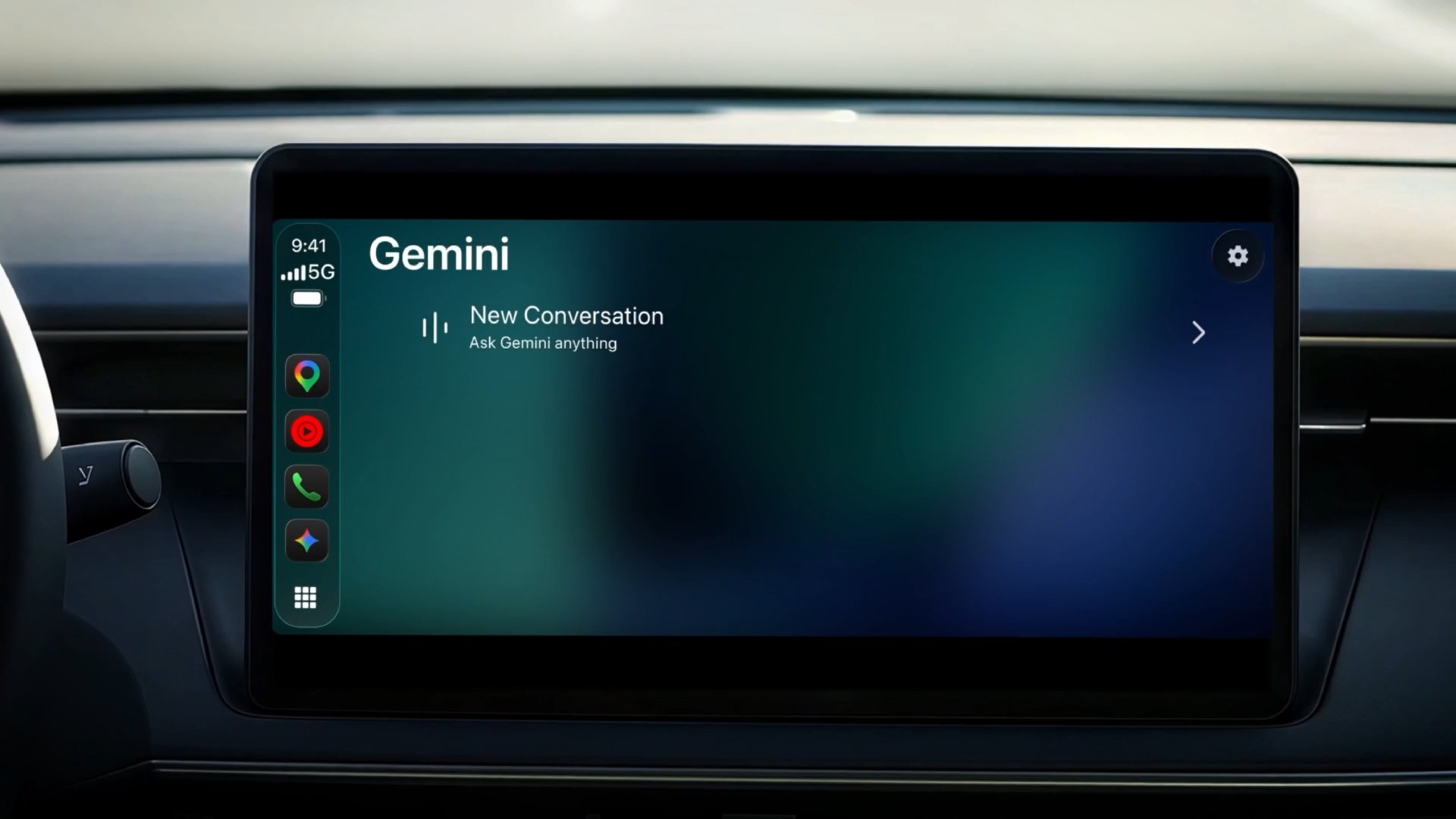
Gemini conversations on your iPhone automatically sync to CarPlay, so you can continue a previous conversation or start a new one.
For example, you can ask Gemini to "Give me my daily brief for today" and it can give you a personalized answer based on your information in apps such as Gmail and Google Calendar. Or if you are driving around and looking for a restaurant, you could ask "What's a quick lunch spot in downtown Austin that's easy to get in and out of?"
To get started, make sure you have the latest version of the Gemini app on your iPhone. Then, tap on the Gemini icon on CarPlay to start a conversation.
CarPlay gained support for voice-based conversational AI apps starting with iOS 26.4. AI apps that have already rolled out CarPlay support include OpenAI's ChatGPT, Anthropic's Claude, X's Grok, Microsoft's Copilot, Perplexity, and others. iOS 27 also added Siri AI support to CarPlay, complete with a Siri app.
Gemini was already available within the Google Maps app on CarPlay.
Related Roundup: CarPlay
Related Forum: HomePod, HomeView, CarPlay – Home & Auto Tech
This article, "Google Says Gemini App Rolling Out on Apple CarPlay Starting Today" first appeared on MacRumors.com
Discuss this article in our forums


