Learning the basics of Python is a wonderful experience. But the euphoria of just learning can be replaced by the hunger for hands-on projects. It’s normal to want to build projects, hence the need for project ideas.
The problem though is that some projects are either too simple for an intermediate Python developer or too hard. This article will suggest projects you can work on as an intermediate Python developer. These project ideas will provide the appropriate level of challenge for you.
In this article, you’ll learn:
- The importance of building projects
- The major platforms you can build projects for
- Thirteen project ideas you can work on
- Some tips for working on projects
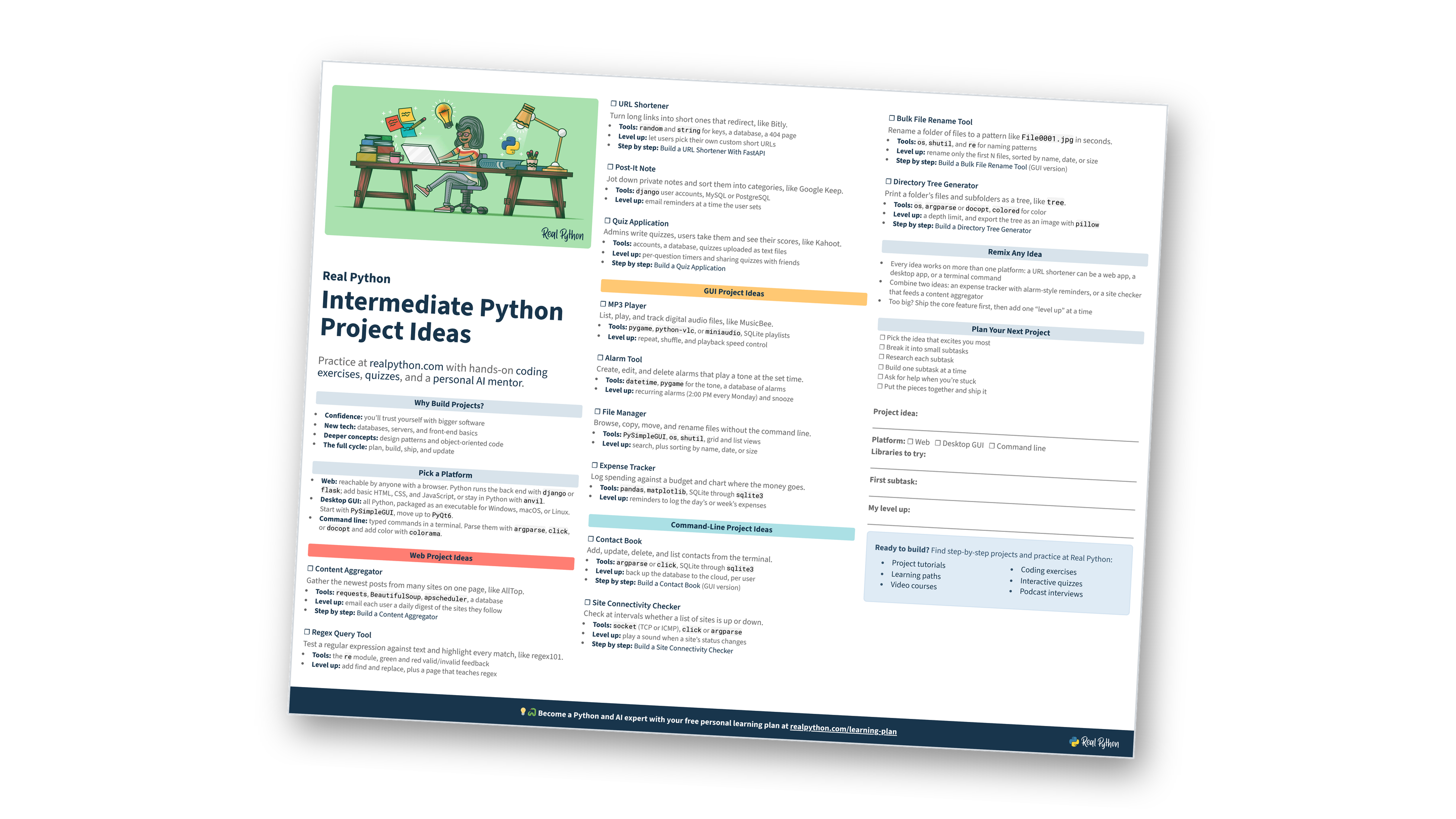
Free Bonus: Intermediate Python Project Ideas
Get a printable one-page PDF of all 13 project ideas, with the tools to use, level-up challenges, and a worksheet to plan your next project:
Intermediate Python Deep Dive Live Course: Want guidance as you level up from scripts to well-designed projects? Real Python’s Intermediate Python Deep Dive live course works through advanced functions, Python’s object model, and clean design with an instructor and a small cohort, with feedback on the code you write. Join the waitlist to hear about the next dates.
The Importance of Building Projects
Working on projects is vital to pushing your career as a Python developer forward. They make you apply the skills and knowledge you’re acquiring.
Projects can help you:
-
Build confidence: You will believe more in your ability to create software regardless the level of complexity.
-
Explore other technologies: You will learn about other technologies needed in building a complete product such as databases, servers, and other languages.
-
Understand programming concepts better: You will learn to write code better and understand concepts such as design patterns and object-oriented programming.
-
Experience a complete software development life cycle: You will learn how to plan before writing code, manage the coding process and update software.
There is a lot to gain from building projects as a Python developer.
Choosing a Project Platform
You need to build your software to run on a platform so that people who lack certain technical knowledge can use your software. The web, desktop, and command-line are the three major platforms you’ll want to build your projects for.
Web
Web applications are applications that run on the web, they can be accessed on any device without being downloaded, provided there is access to the internet. If you want your projects to be accessible by everyone with internet access, it needs to be a web application.
A web application has a back end and front end. The back end is the part where the business logic is: your back-end code will manipulate and store data. The front end is the interface of the application: your front-end code will determine the look of a web application.
As an intermediate Python developer, your major focus will be the back-end code. However, the front-end code is important too, so you will need some knowledge of HTML, CSS, and maybe JavaScript to create a simple-looking interface. Just the basics will be enough.
Another option is to use Python for both the front end and back end. Thanks to the anvil library, which eliminates the need for HTML, CSS, and JavaScript, you can focus on Python code alone.
You can build web applications with Python through web frameworks such as django and flask. The list of frameworks for building web applications using Python is long. There are plenty to choose from, but django and flask remain the most popular web frameworks.
Desktop GUI
Every time you perform a task on your PC, be it a desktop or laptop, it is through an application. As an intermediate Python developer, you can make your own desktop applications.
You do not have to learn any front-end technology to create your own Graphical User Interface (GUI) applications, as you saw with web applications. You can build all the parts using Python.
There are frameworks for building your desktop applications. PySimpleGUI is one of them, and it’s pretty user-friendly for an intermediate Python developer.
An advanced GUI framework like PyQt6 is quite powerful, but it may have a steep learning curve.
The software you create for the Desktop GUI is able to work on any of the Windows, Linux, or Mac operating systems. All you have to do after creating the project is compile it to an executable for your operating system of choice.
Read the full article at https://realpython.com/intermediate-python-project-ideas/ »
[ Improve Your Python With 🐍 Python Tricks 💌 – Get a short & sweet Python Trick delivered to your inbox every couple of days. >> Click here to learn more and see examples ]


