
A lot has changed since 2018, both in programming and in Codename One. Back then I wrote Create an Uber Clone in 7 Days: Build a real world full stack mobile app in Java. Today you can start with the application those seven days were meant to teach you to build, then spend your time making it yours.
What is Codename One? Codename One is an open-source framework for building native iOS, Android, desktop, and web apps from a single Java or Kotlin codebase. Learn more at codenameone.com.
Meet Wayline, a full-stack, white-label ride-hailing application written in Java. Rider and driver apps, an administration console, payments, live tracking and push notifications are already connected to a Java backend. You get the application and its source, ready to adapt to your business. Open the Initializr, choose Wayline, give it your own name and package, and generate the project. That's the one-minute task. Downloads and a first build depend on your machine; launching a real transport service still takes real work.
The source is 100% free, under MIT No Attribution, also called MIT-0. No royalties, no revenue share, no required subscription to use Wayline. You can modify it, sell your application and keep your changes private. Hosting and external services carry their own costs and terms. Your application belongs to you.
Coming This Week
Today is the full application tour, including the code and the parts you would adapt for your own business. The next six posts look at the tools that help you build and ship that work:
- Saturday, October 17: Spring Data-Style Repositories Compiled to Native Code. Generated ORM repositories, isolation and completion callbacks.
- Sunday, October 18: Thymeleaf, Spring MVC and htmx for Native Java Backends. Thymeleaf-style templates, Spring MVC-style controllers and htmx.
- Monday, October 19: Build Your App Theme Without a Display Server. A fully headless compiler and the visual details worth checking after the change.
- Tuesday, October 20: Give Your Desktop App a Useful Title Bar and Real Tools. Integrated title content on all three desktop OSs, the Process API and streaming ZIP support.
- Wednesday, October 21: Let Users Install Your Java Web App Again. PWA support returns to the ParparVM JavaScript port.
- Thursday, October 22: A Java IDE in Your Browser, With Your Files in Your Browser. An early preview of what I'm calling Not a Cloud IDE.
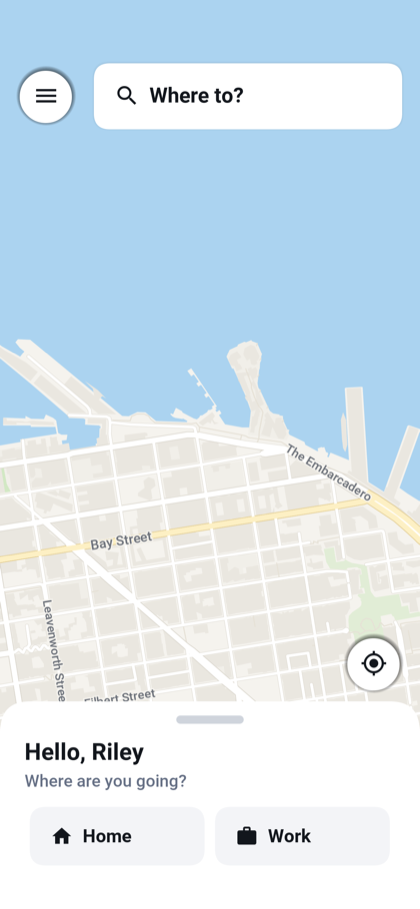 Choose a destination.
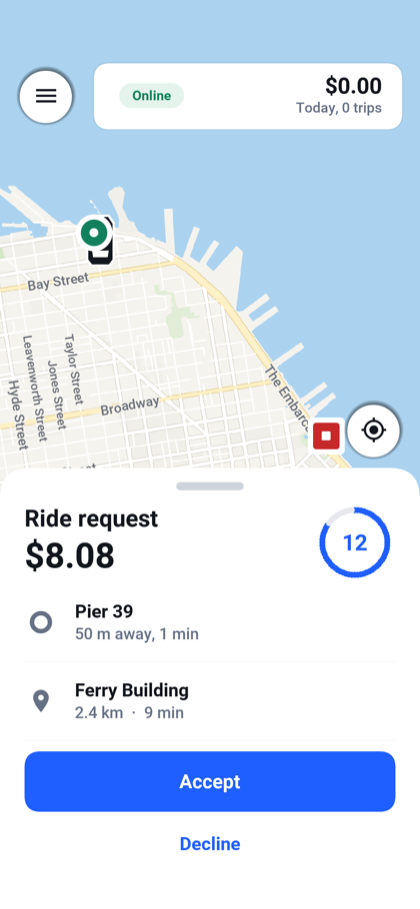 Accept a ride as a driver.
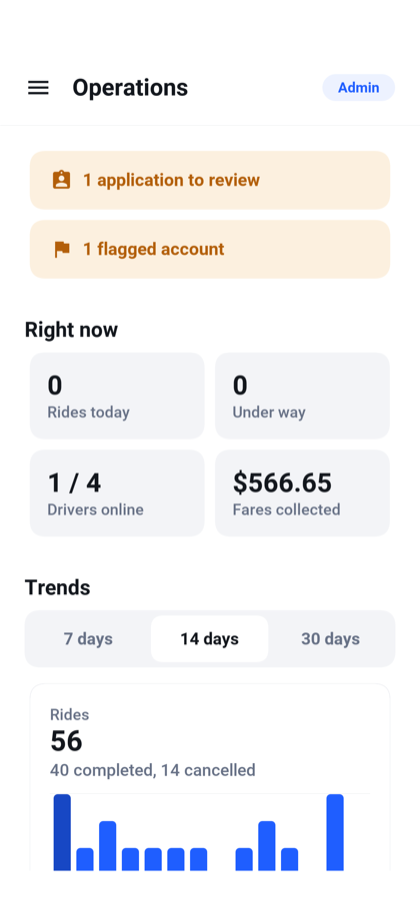 Manage the service.
A full-stack Java application you can make your own
Wayline includes both sides of the service. The frontend implements the rider, driver and administrator workflows across mobile, desktop and browser builds. The backend owns authentication, ride matching, pricing, payments and the database. This is a white-label application you can brand and extend, with the operational details already expressed in code.
The project has three modules: common for the frontend, backend for the server and shared for the typed contract between them. Both sides use Java. You can follow a button press through an API call, a service and a repository without switching languages or maintaining a second set of request models.

Here is the booking method in the shared RiderApi interface:
@POST("/api/rides") void request(@Body RideRequestDto request, OnComplete<Response<RideDto>> callback); The interface carries @RestClient. The build generates its client implementation and the RiderApiServer contract. Wayline's RiderEndpoint implements that contract, injects the Rides service and delegates the request:
@Override public RideDto request(RideRequestDto request) throws Exception { return rides.request(Caller.name(), request); } The rider identity comes from the authenticated caller. The client supplies the trip it wants, and the server decides whether the signed-in user can request it. Spring-style dependency injection and authorization keep that decision in the backend; generated DTO serialization and API bindings keep the frontend and backend in agreement.
You can run the server on the JVM while developing, then package it as a native executable with ParparVM. The frontend shares its screens and behavior across targets. The user's guide tours the application, while the implementor's guide follows each feature into its classes. All the Wayline screenshots below come from those guides and open at full size when clicked.
Start with the whole trip
The application opens in the mode that fits the signed-in user. Riders get the booking screen, drivers get their shift, and administrators get the console. An account can have several roles and switch between them. These are distinct workflows within one shared application, so you don't maintain three unrelated clients.
A new user registers, verifies a phone number and chooses whether to share usage statistics. The development profile displays verification codes instead of sending an SMS, so you can try the flow before connecting a provider.
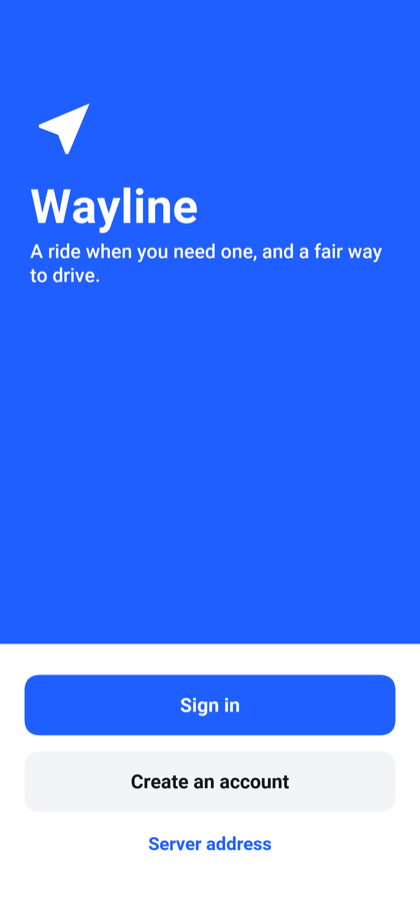 Sign in, create an account or choose the server.
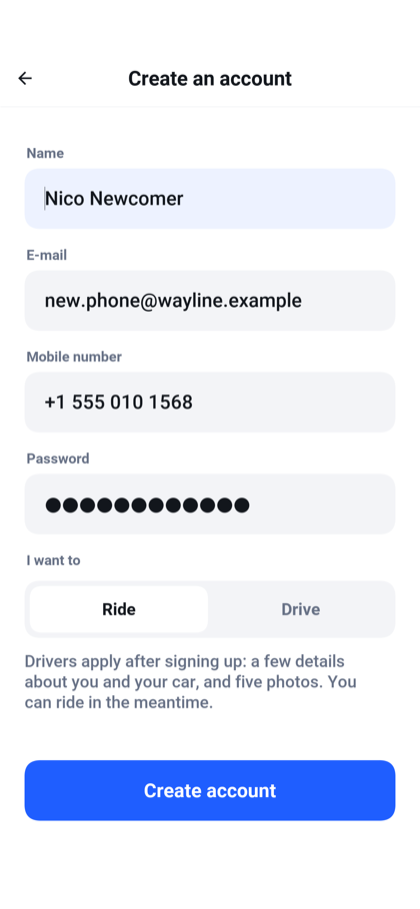 Register to ride or apply to drive.
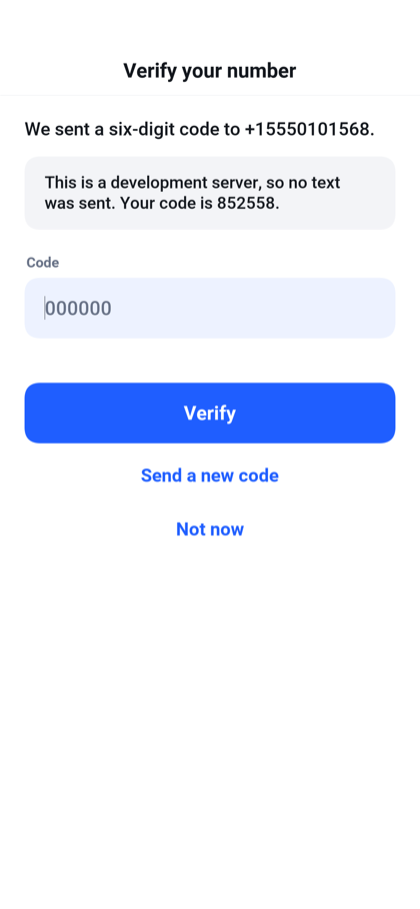 Verify a phone number; development shows the code.
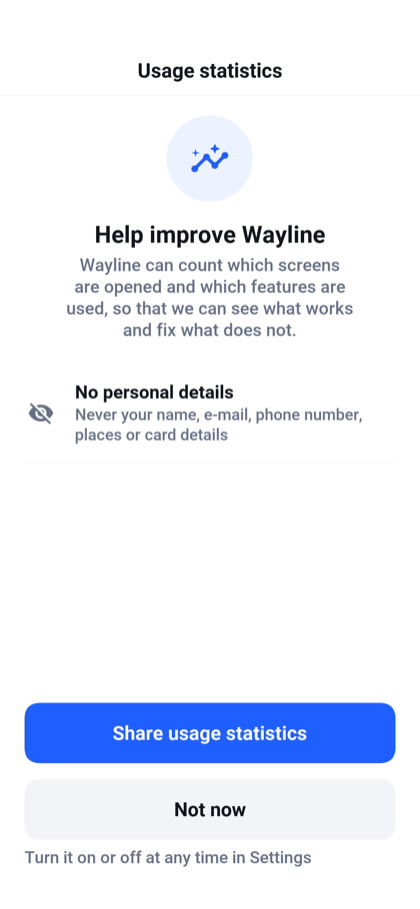 Choose whether this device shares usage statistics.
The rider searches for a destination, sees the route and compares three vehicle categories with a fare for each. Home and Work shortcuts save repeated typing. Ride preferences cover quiet trips, accessibility and pets, and can restrict matching to women drivers based on the driver's profile.
After requesting, the rider follows the approaching driver, sees the car and plate, and can call or message them. At the end, the flow moves to a rating, optional tip and itemized receipt.
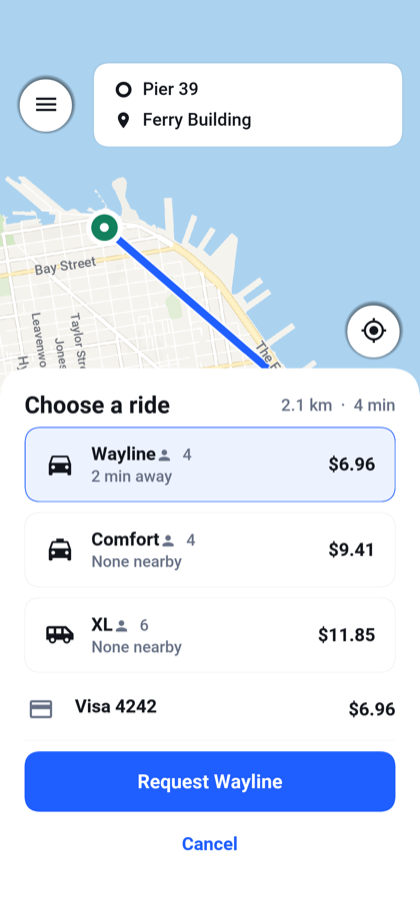 Compare vehicle categories and quoted fares.
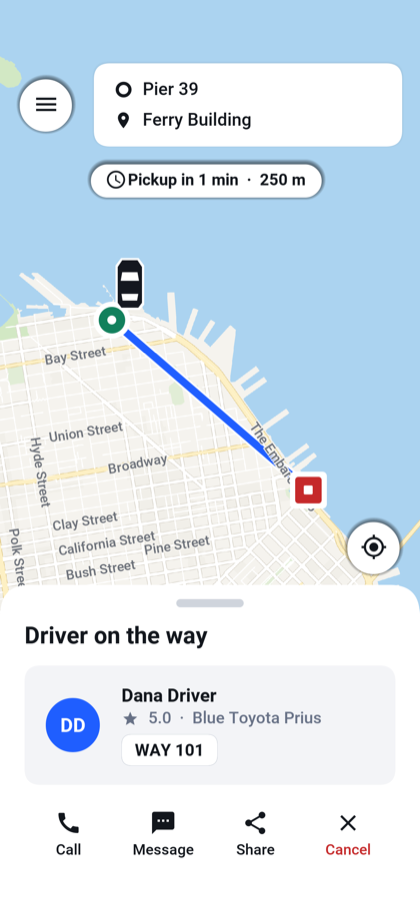 Follow the driver to pickup.
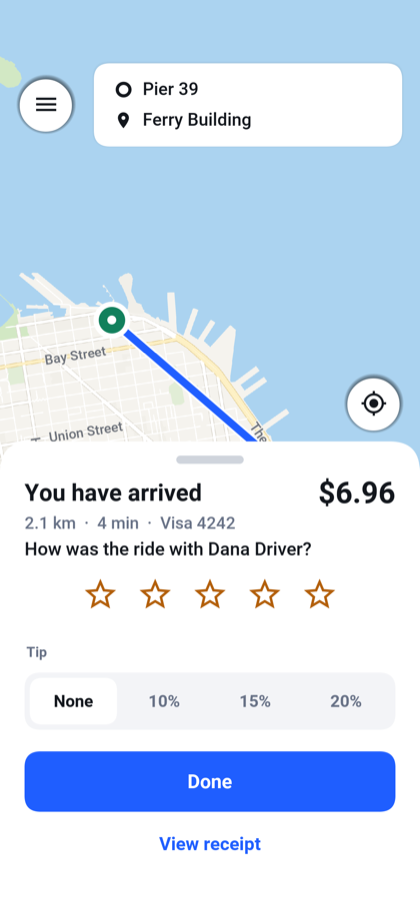 Rate the completed ride and choose a tip.
The screen follows the server's state. A button asks for a change; the server decides whether that change is valid. The repositories use conditional updates so competing actions can be settled by the database. That matters when a cancellation and an acceptance arrive together.
The request flow is visible in Rides:
public RideDto request(String rider, RideRequestDto request) throws IOException { validate(request); String id = attempt(() -> open(rider, request)); live.rideChanged(id, RideState.REQUESTED, rider, "", ""); search(id); return read(id, rider); } open is transactional. It serializes competing requests from the same rider before creating the ride; attempt handles the retry path. Once that work returns, the service publishes the change and starts matching. The details that prevent two active rides belong here, where every client gets the same rules.

The normal journey is shown here. The application also handles declined offers, expiry, cancellation and payment failures.
Give the driver an application too
A ride-hailing demo that stops at the passenger screen leaves most of the service for you to build. Wayline includes driver signup, document submission and review, then the actual working day.
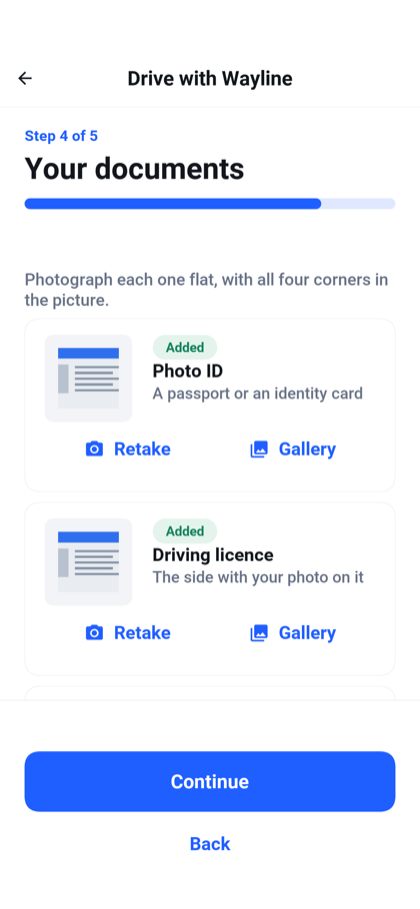 Submit the documents needed to apply.
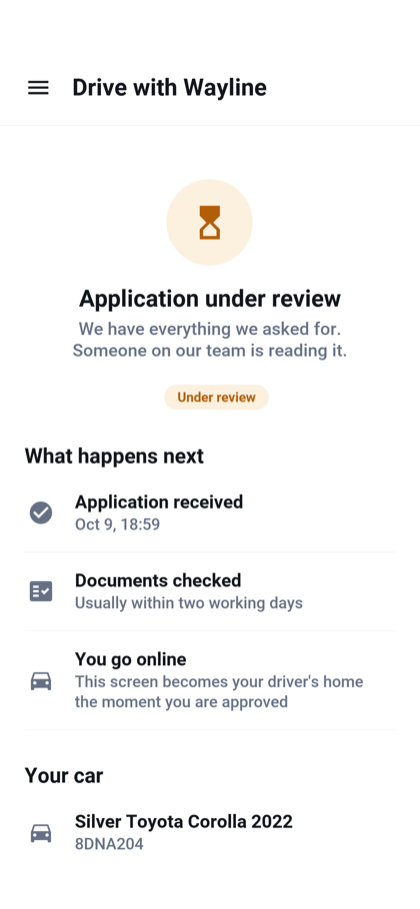 See where an application stands.
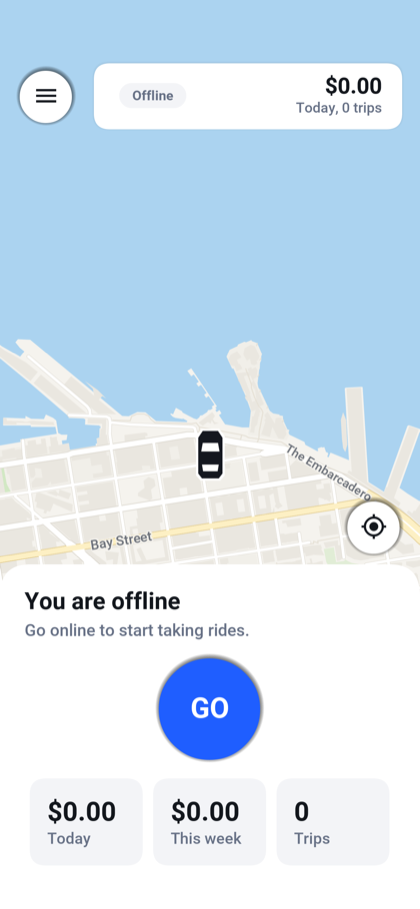 Go online when ready to take rides.
An offer shows the pickup, destination, fare and a countdown. During a trip the driver sees the route and the next action, including the amount to collect for a cash ride. The earnings view shows daily totals and the balance recorded by the service.
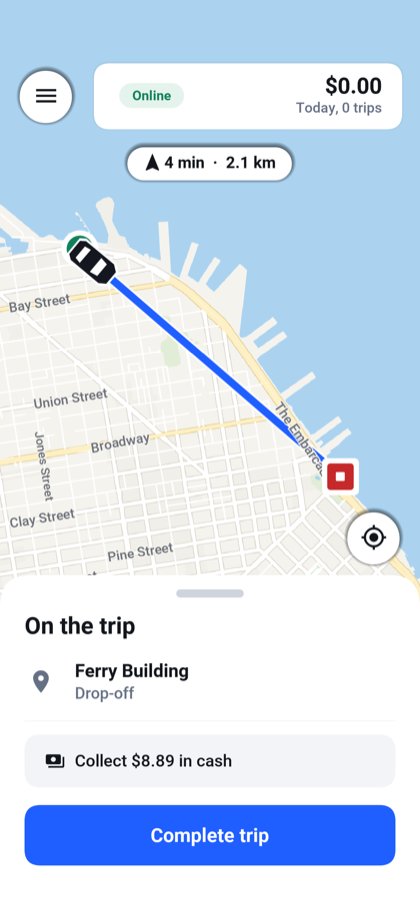 Follow the trip and complete it.
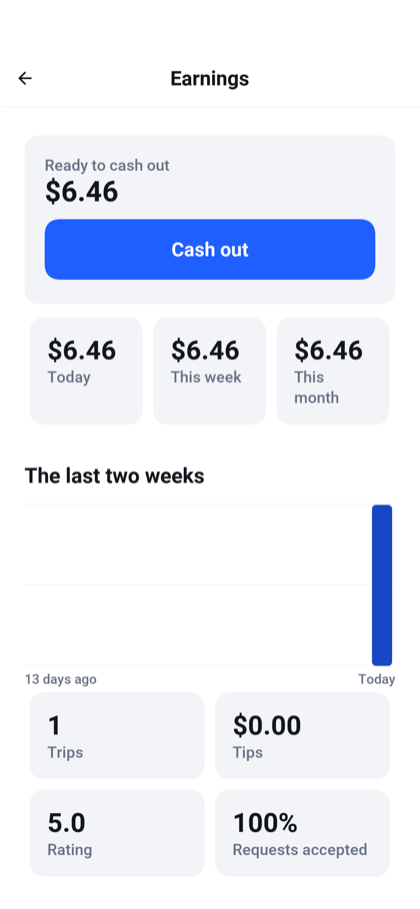 Inspect earnings and the recorded payout balance.
When the driver switches to a navigation app or locks the phone, the mobile background-location service keeps reporting during the shift. Reports are spaced by time and distance instead of forwarding every location change. iOS uses background location; Android uses a location foreground service. The browser and desktop preview don't reproduce that mobile background behavior.
Shift.begin() starts tracking and, on Android, creates the foreground service with a method reference for its background task:
service = ForegroundService.start(CHANNEL, "You're online", "Wayline shares your location with riders while you drive.", null, Shift::keepAlive); Shift.end() removes the location watcher and stops that service when the driver goes offline. The same class throttles reports by distance and elapsed time, including a heartbeat for a parked car.
There are ride widgets outside the main screen too. The rider's active trip appears as an iPhone Live Activity, an ongoing Android notification, or a small desktop/simulator window. A browser has no equivalent surface in Wayline. The lock-screen section explains the distinction: the iPhone implementation updates when the app receives messages, and doesn't use ActivityKit's direct server push token. A suspended app can therefore leave the activity showing its last received state.
The widget's layout is Java too. This excerpt from RideCard.descriptor() supplies the compact iPhone presentation:
return new LiveActivityDescriptor(RideActivityKeys.KIND) .setContent(content()) .setCompactLeading(new SurfaceText("${driver}").setFontSize(13) .setMaxLines(1)) .setCompactTrailing(new SurfaceText("${eta}").setFontSize(13) .setColor(SurfaceColor.ACCENT)); The complete descriptor also supplies expanded and minimal layouts. LiveActivity.start(descriptor(), now) starts it, and current.update(now) sends new state. Wayline registers the resulting activity ID with the backend so later push messages can address it.
Live updates over WebSockets
An open app needs to hear when the ride changes or the driver moves. LiveChannel opens a WebSocket and hands its callbacks back to the UI event thread:
socket = WebSocket.build(url) .onConnect(ws -> CN.callSerially(() -> opened(mine))) .onTextMessage((ws, text) -> CN.callSerially(() -> frame(text, mine))) .onClose((ws, code, reason) -> CN.callSerially(() -> lost(mine))) .onError((ws, err) -> CN.callSerially(() -> lost(mine))) .connect(10000); This is the connection portion of LiveChannel.open(). Its helpers handle reconnects, heartbeats and stale callbacks from previous connections. The app obtains a short-lived, single-use ticket through its authenticated API before connecting to /ws/live.
The backend endpoint implements WebSocket and is registered with @WebSocketMapping("/ws/live"). It redeems the ticket, checks the account and adds the connection to LiveHub. When a ride changes, the hub constructs the message:
Map<String, Object> frame = new LinkedHashMap<String, Object>(); frame.put("type", "ride"); frame.put("id", id); frame.put("state", state.name()); String text = Json.write(frame); It sends that frame through WebSocketSession.sendText to the rider, the driver and connected administrators. Driver positions have their own message type. Removing an admin role also closes that account's old connections, so a previously authorized socket cannot keep receiving fleet locations. The live channel guide traces both sides.
Push v3 callbacks and backend delivery
The live WebSocket channel serves an app that is open. Push covers the rider with a phone in a pocket and the driver who has just been offered a job.
The frontend uses the Push v3 PushClient API. This is the registration code inside Notifications.start():
client = PushClient.builder(AppConfig.PUSH_APP_KEY) .listener(new Listener()) .build(); client.register(); Its PushListener receives the token through onRegistration and ride notifications through onMessage:
@Override public void onRegistration(PushSubscription registered) { subscription = registered; signedIn(); } The message callback reads the payload and opens the relevant ride screen:
@Override public void onMessage(PushMessage message) { Object ride = message.getData().get("rideId"); Object role = message.getData().get("role"); String title = message.getTitle(); if (ride != null && title != null && title.length() > 0 && Session.user() != null) { Nav.showRide(role == null ? Nav.RIDER : String.valueOf(role)); } } The screen fetches the current ride state rather than trusting an old notification. Silent messages can update the Live Activity without opening a screen. These callbacks run on the UI event thread.
The app registers a device token for the signed-in account and removes that association on sign-out. A notification carries the ride ID and role so tapping it opens the right screen, which then reads the current ride from the server. Expiring driver offers use a short lifetime so a delayed notification doesn't look like a fresh job.
On the backend, RidePushes builds the message with ordinary Java calls:
return PushNotification.builder() .title(title) .body(body) .collapseKey("ride-" + id + "-" + role) .data("rideId", id) .data("state", state.name()) .data("role", role); CloudPushSender sends the built notification and device targets through CloudPush:
PushResult result = push.send(message, to); accepted = result.isAccepted(); The call runs on a background task so the ride request doesn't wait for the push service. Acceptance here means the service accepted the notification; it isn't proof that someone read it. Wayline also checks the latest ride state before composing a notification, preventing a delayed acceptance event from announcing a ride that has since been canceled.
The server publishes ride changes after they commit. A push delivery failure doesn't undo an accepted ride. Those are small decisions that make a much bigger difference than adding another animation to the booking screen.
Wayline includes the integration, while development logs notifications to the console. Real mobile push requires the app and server keys and platform credentials described in the push setup. Android push starts disabled so a generated project can build before you have a Firebase or Huawei configuration.
The admin console is part of the product
Someone has to approve drivers, answer a payment question and find out why a rider was blocked. Those jobs shouldn't require opening a database console.
On a phone, administration is one screen at a time. The dashboard starts with work needing attention, then shows current activity and trends. An application review includes documents, and moderation records both the reason and the administrator responsible.
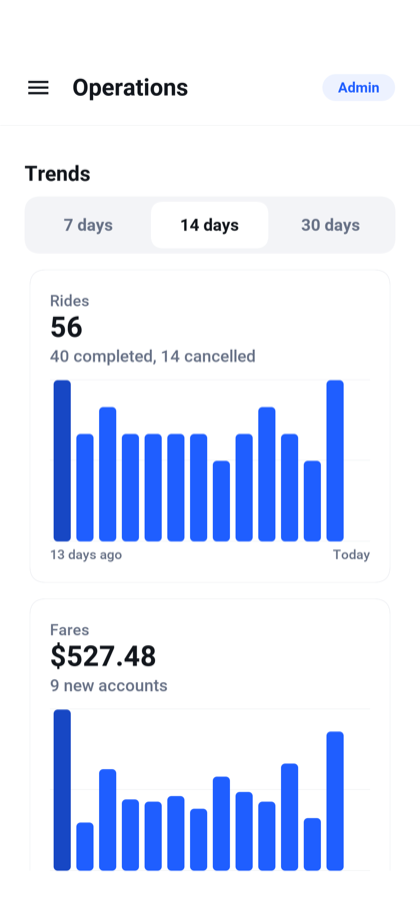 Inspect daily rides and fares.
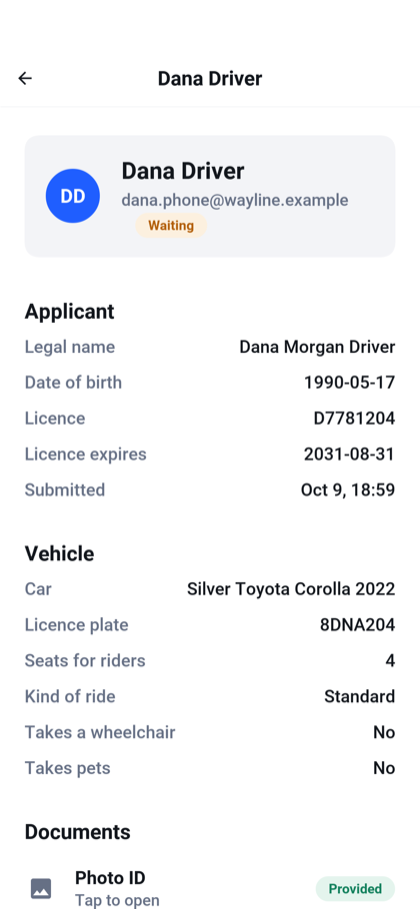 Review a driver application.
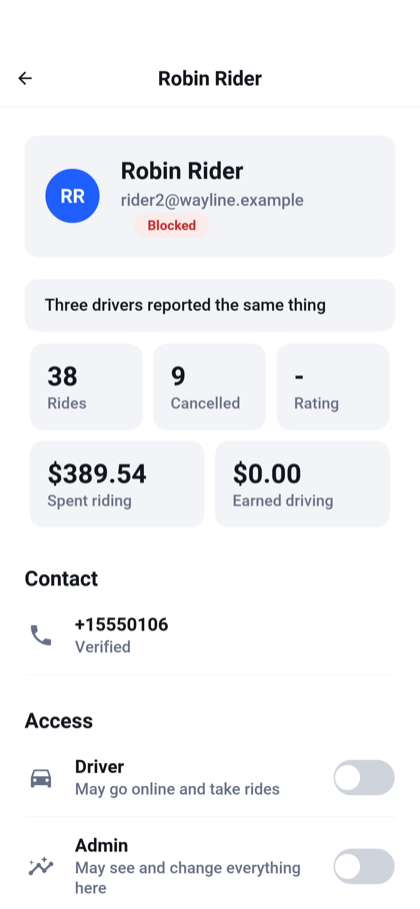 See an account and its moderation history.
On a wide screen, the same app becomes a console with navigation and room for a list beside the selected item. This is a layout you can work in all day:
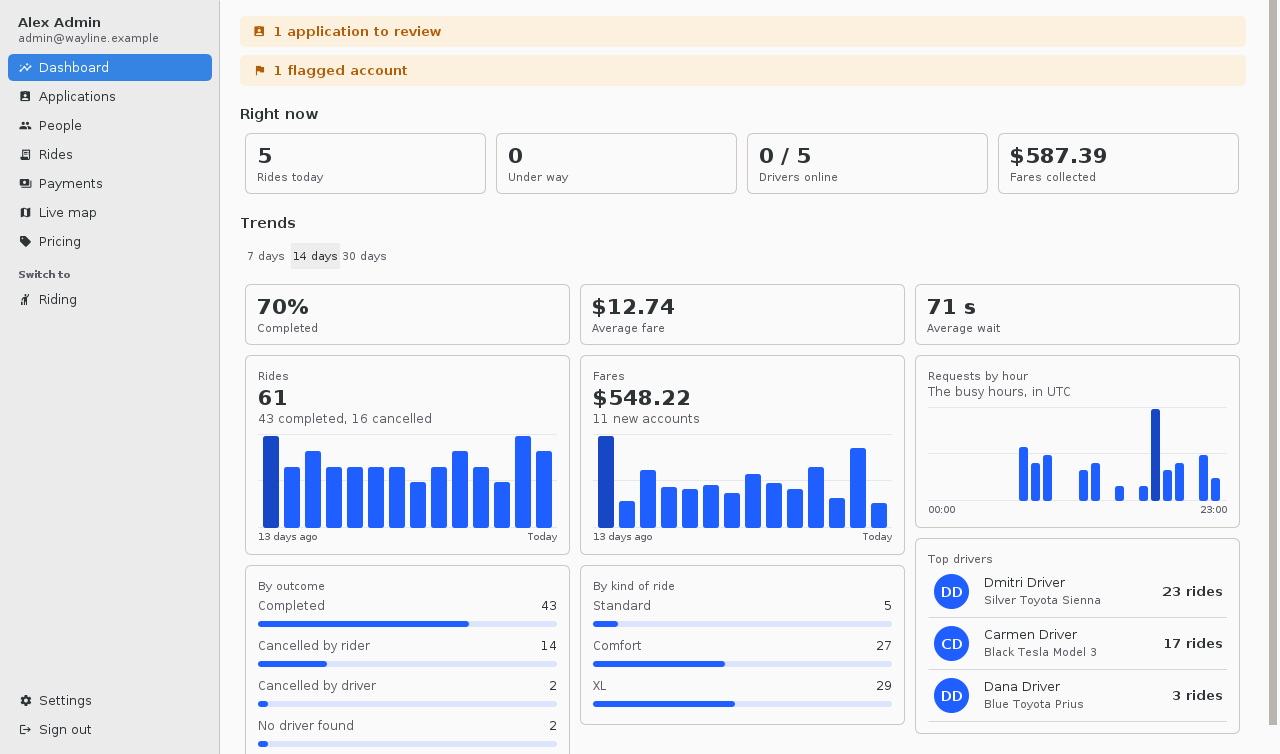 The wide dashboard puts activity and trends together.
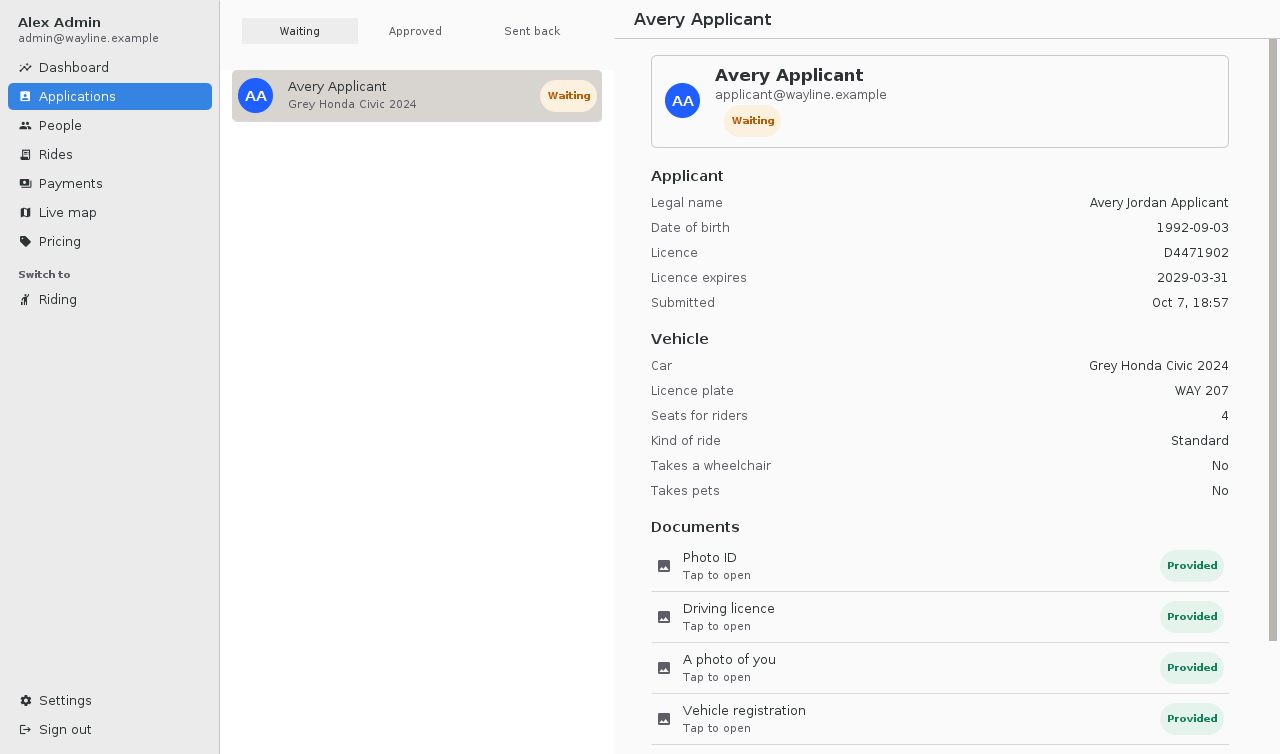 Review applications without losing the list.
Flagging and blocking aren't the same operation. A flag calls attention to an account; a block signs it out and prevents access until it is lifted. The people view includes role changes, ride history and financial totals. The rides view lets an administrator inspect or cancel work and request a card refund where applicable.
The backend guards the awkward cases too. Inside Accounts.suspend(), an administrator cannot strand someone halfway through a ride by disabling the account:
if (suspended && signIn.isEnabled() && cleanup.inRideUnderWay(username)) { throw new ResponseStatusException(409, "That account is on a ride. Block it when the ride has ended"); } The operation runs in a transaction and records who changed the account and why. The administrator must end the ride first. That rule protects both participants even if moderation is invoked through a different client.
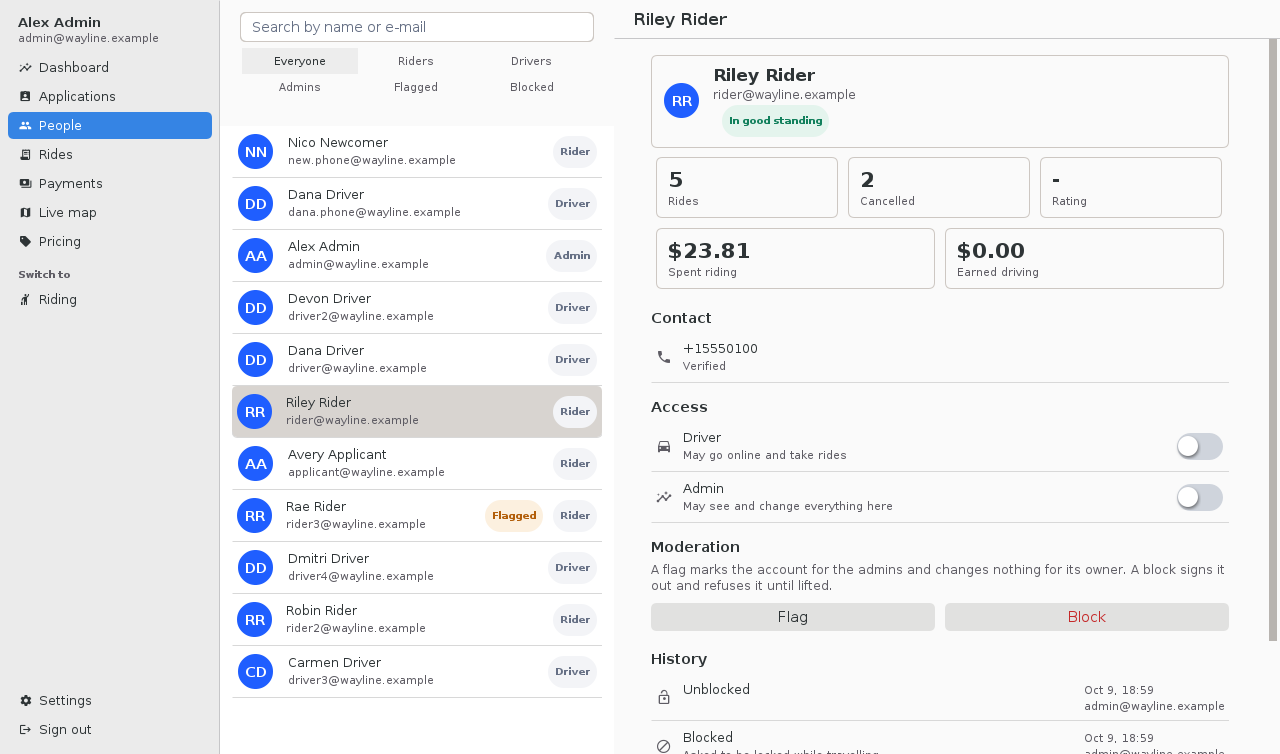 Search accounts, change roles and inspect history.
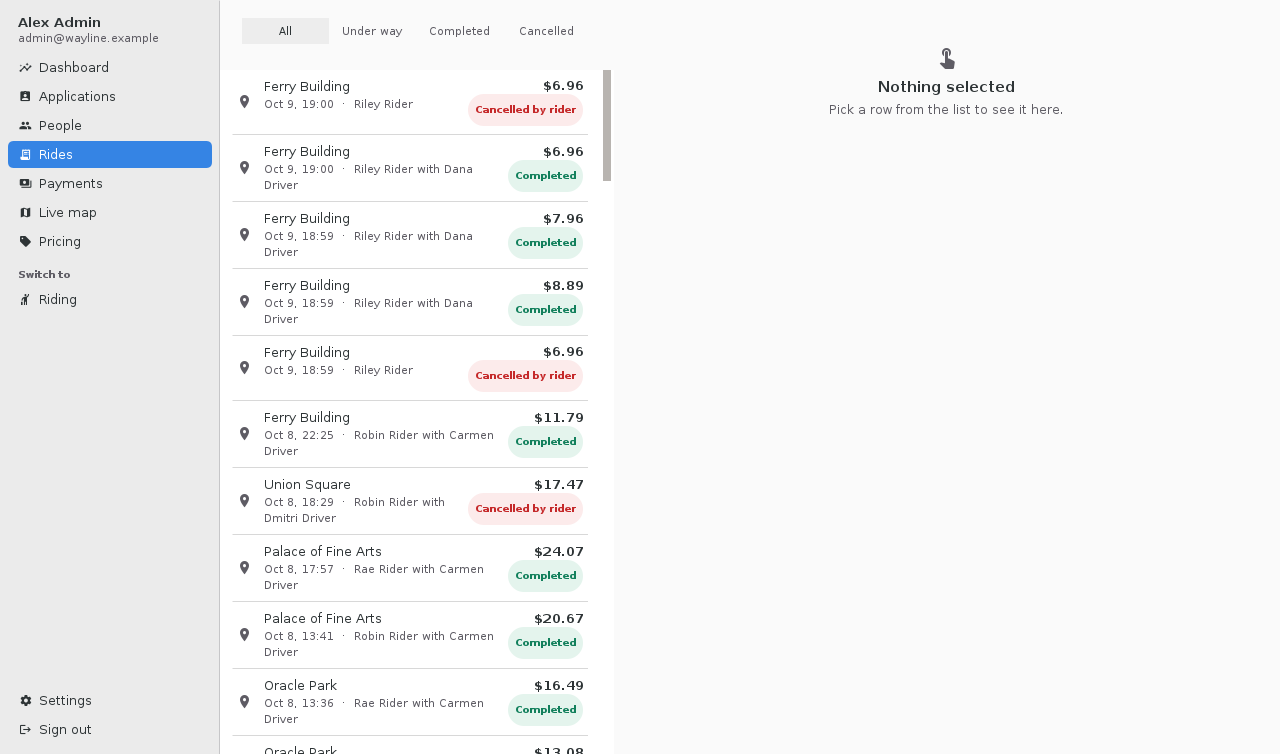 Filter and inspect rides across the service.
Pricing is editable: base fare, distance, time, minimum fare, fees, commission, and multipliers. The payments list distinguishes a completed refund from one still pending. The live map shows online cars, and the guide screenshot below captures its empty state rather than inventing a busy fleet.
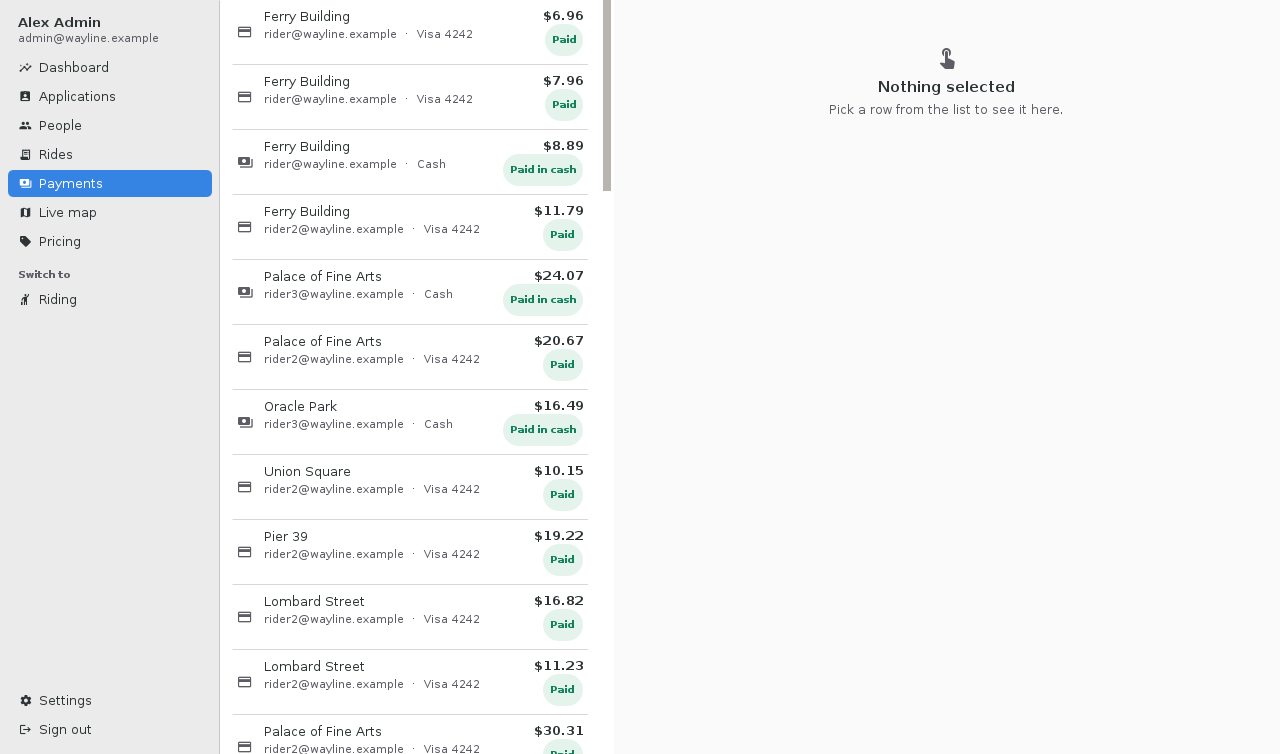 Inspect charges and their payment state.
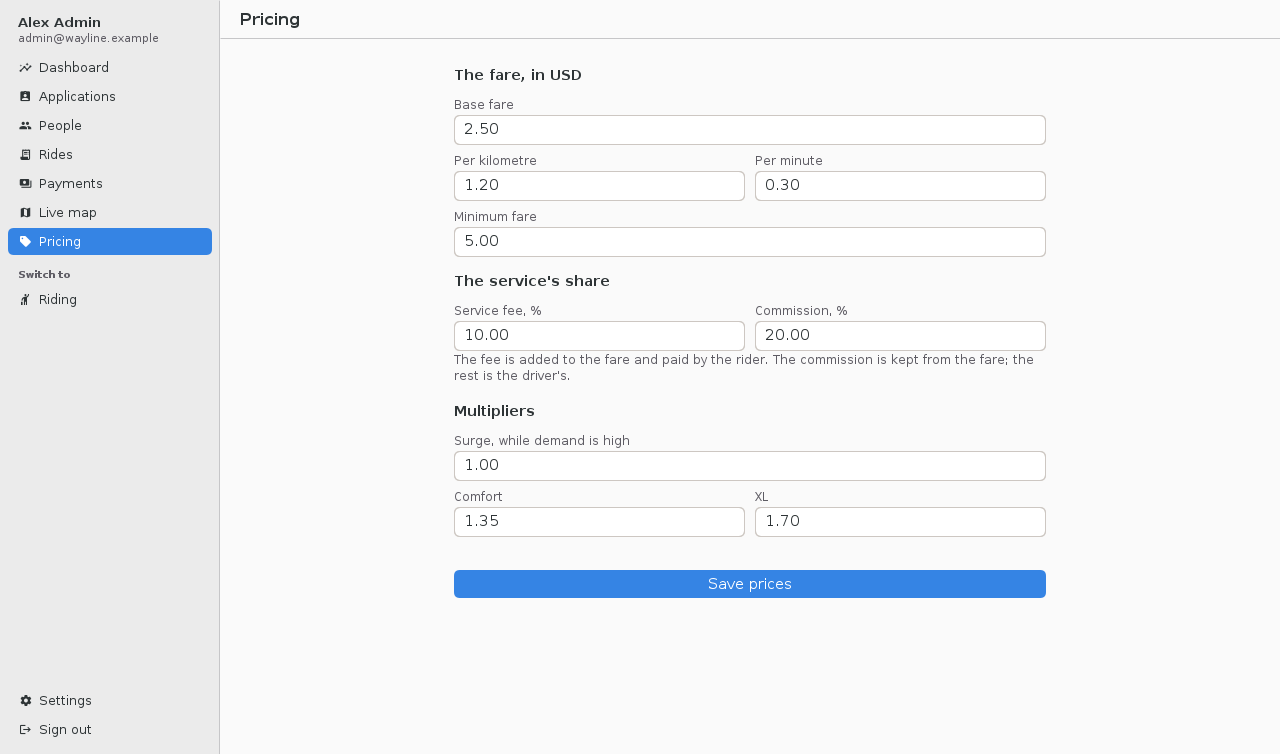 Set the service prices in the console.
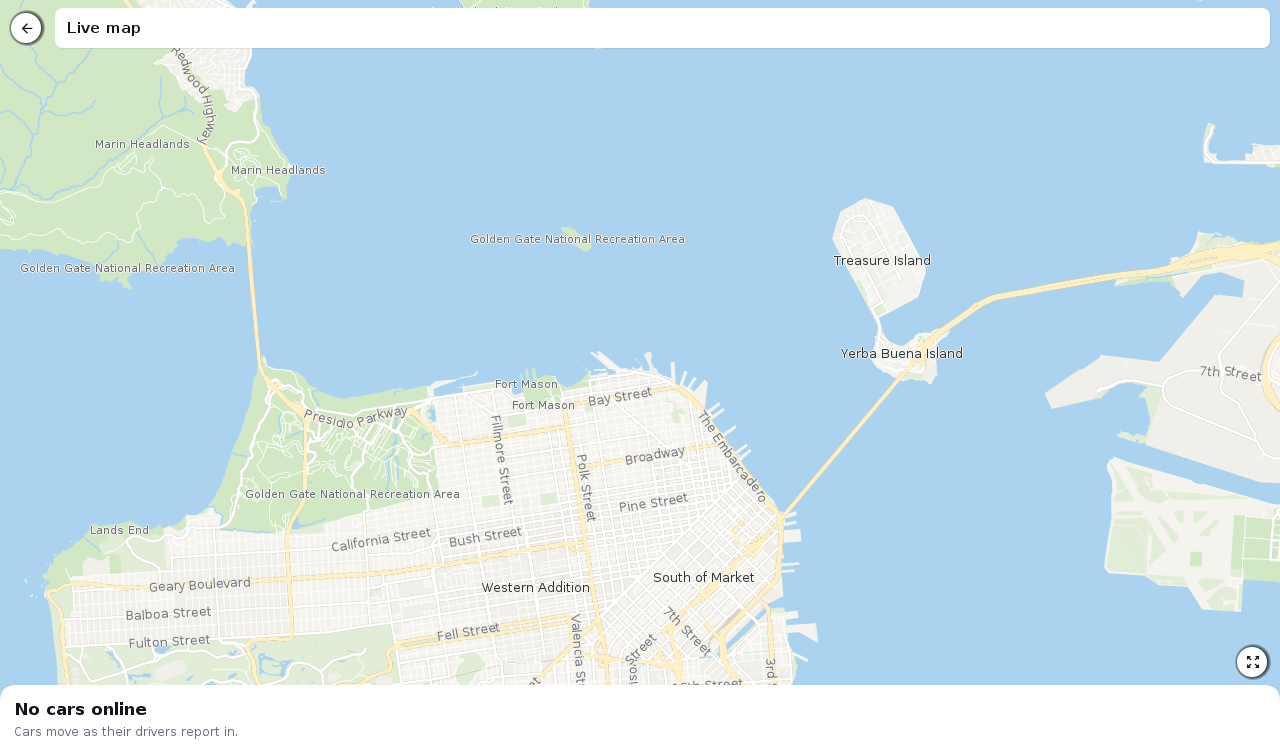 The live map, here with no drivers online.
Billing includes the awkward cases
The wallet stores payment methods, and receipts break down the fare. Development uses simulated cards with test behavior for success, decline and uncertain results. Real payment providers sit behind a PaymentProvider interface.
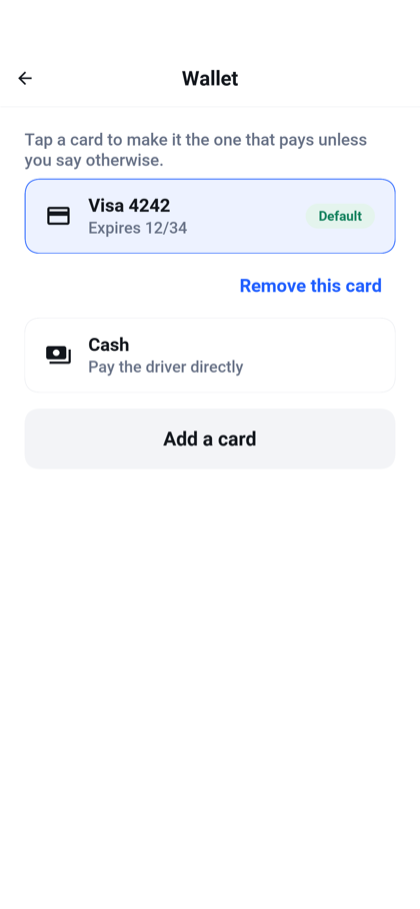 Keep a default card or choose cash.
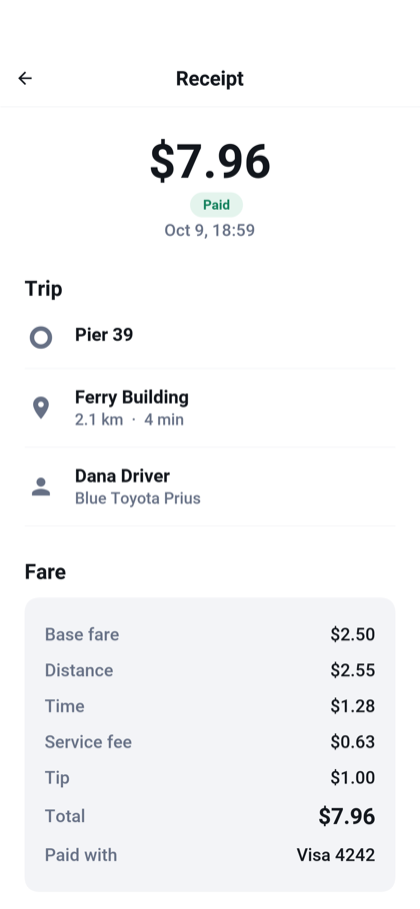 Read the fare breakdown and payment result.
A completed ride and a settled payment are separate facts. Wayline commits the trip, calls the payment provider without holding that database transaction open, then records the result. Charges carry a key derived from the ride so retrying an uncertain request can reuse the same payment identity. This call from Payments.settle() makes that key explicit:
reference = charge("ride-" + ride.getId(), ride.getRider(), ride.getMethodId(), amount, ride.getCurrency(), "Wayline ride"); The helper resolves the stored provider references and delegates to PaymentProvider.charge. A definite decline becomes FAILED; an I/O failure leaves the result PENDING so recovery can ask again using the same key.
If the server stops between those steps, a recovery pass revisits pending payments. A definite decline is treated differently from a lost response. Refunds can be pending too; the admin screen doesn't call the money returned just because a provider accepted the request.
The included Stripe adapter uses hosted card setup so card details don't pass through the app's server. It has tests against stand-in provider responses, but hasn't been validated against a Stripe account. Before taking real payments, exercise its full flow with your provider and complete the missing production work described in the billing section: webhooks, required cardholder authentication, driver transfers and your tax/invoice rules.
In particular, Cash out currently records a payout in the ledger; it doesn't transfer money to a driver's bank. That is a concrete extension point, not a hidden promise behind a finished-looking button.
Maps change the starting economics
In 2018, native maps were central to this kind of app. We still support native maps, including the platform integration described in the guide. Wayline focuses on hosted map data rendered by Codename One's MapView, which gives a small operator more control over the provider and the cost model.
The default setup draws OpenStreetMap vector tiles from OpenFreeMap without an API key. Routes use the OSRM demo service, and place search goes through your backend to Photon. These are separate choices, not one inseparable maps account. The map factory selects the tile source and style directly:
MapView map = new MapView(tiles == null ? MvtTileSourceSource:https://dev.to/codenameone/create-an-uber-clone-in-1-minute-421Related posts

I read all 308 open jobs at xAI: 54% are in its data center team, and most of them are in Memphis

Claude Code marketing analytics with an app-scoped key

I red-teamed my own support bot with 30 scenarios. It failed 7 — here's the harness.

The Log That Told Everyone the Password: Redacting Secrets in n8n Execution Logs

Your AI Portal Isn't Ready Until a Stranger Can Recover from Failure
