When working with Python objects, you’ll often need to make copies rather than modify the originals. In this tutorial, you’ll explore various ways to copy objects in Python, including using the built-in copy module. You’ll also learn the key differences between shallow and deep copies, with practical examples so you can safely duplicate objects in your own code.
By the end of this tutorial, you’ll understand that:
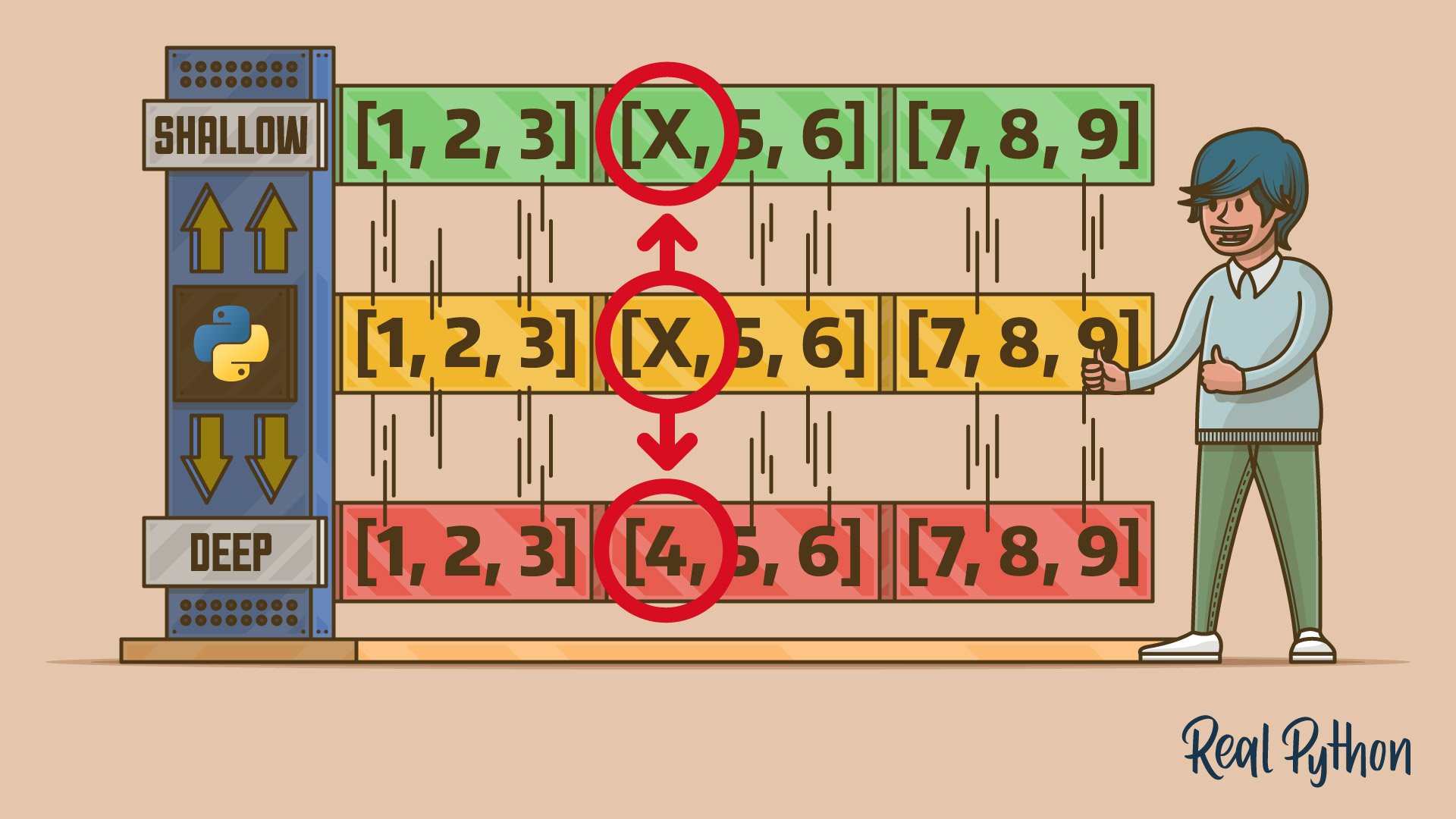
- Shallow copying creates a new object but references the same nested objects, leading to shared changes.
- Deep copying recursively duplicates all objects, ensuring full independence from the original.
- Python’s
copymodule provides thecopy()function for shallow copies anddeepcopy()for deep copies. - Custom classes can implement
.__copy__()and.__deepcopy__()for specific copying behavior. - Assignment in Python binds variable names to objects without copying, unlike some lower-level languages.
Explore the nuances of copying objects in Python and learn how to apply these techniques to manage mutable data structures effectively.
Get Your Code: Click here to download the free sample code that you’ll use to learn about shallow vs deep copying in Python.
Take the Quiz: Test your knowledge with our interactive “Shallow vs Deep Copying of Python Objects” quiz. You’ll receive a score upon completion to help you track your learning progress:
Interactive Quiz
Shallow vs Deep Copying of Python ObjectsIn this quiz, you'll test your understanding of Python's copy module, which provides tools for creating shallow and deep copies of objects. This knowledge is crucial for managing complex, mutable data structures safely and effectively.
Getting the Big Picture of Object Copying
Copying an object means creating its exact duplicate in memory. While there are many good reasons for doing so, at the end of the day, it allows you to modify the cloned objects independently of each other.
For example, a getter method may return sensitive information like the balance of someone’s bank account. To prevent unauthorized modifications of the bank account’s state, whether accidental or intentional, you’ll typically return a copy of the original data as a defensive programming measure. That way, you’ll have two separate objects safely representing the same piece of information.
Sometimes, you may need to work with multiple snapshots of the same data. In 3D computer graphics, transformations like rotation and scaling rely on matrix multiplication to update a model’s vertices. Rather than permanently changing the original model, you can duplicate its vertices and apply transformations to the copy. This will allow you to animate the model in a non-destructive way.
The following section provides an overview of the fundamental concepts and challenges associated with object copying in general. If you’d like to jump straight to copying objects in Python, then feel free to skip ahead.
Scalar vs Composite Types
In programming, objects can be classified into two broad categories of data types:
- Scalar
- Composite
Scalar data types represent simple, indivisible values that can’t be decomposed into smaller parts, much like atoms were once thought to be. Examples of scalars in Python include numbers, dates, and UUID-type identifiers:
>>> from datetime import date >>> from uuid import uuid4 >>> numbers = 42, 3.14, 3 + 2j >>> dates = date.today(), date(1991, 2, 20) >>> ids = uuid4(), uuid4(), uuid4() Each of these objects holds a single value representing a basic unit of data. By combining these fundamental building blocks, you can create more complex data structures.
Composite data types, on the other hand, are containers made up of other elements. Some of them are merely collections of scalar values, while others contain other composites or both, forming a complex hierarchy of objects:
>>> import array >>> audio_frames = array.array("h", [2644, 2814, 3001]) >>> audio_data = ( ... ("PCM", 2, 44100, 16), ... [ ... (15975, 28928), ... (-86, 15858), ... (31999, -3), ... ] ... ) In this case, the "h" argument in the array.array() call specifies that the array will store numbers as two-byte signed integers. As you can see, a Python array aggregates scalar numbers into a flat sequence, whereas a list and tuple can contain deeply nested structures arranged in a particular way.
Note: Python types can sometimes fall into a gray area. For example, strings have a dual nature, as they’re technically sequences of characters. At the same time, they behave like scalars in specific contexts because they don’t allow element-wise operations—you must treat them as a whole.
These two categories of data types are closely related to the concept of object mutability, which you’ll learn more about now.
Mutable vs Immutable Objects
In high-level programming languages like Java and JavaScript, scalar types typically represent read-only values that can’t change over time. Such objects don’t allow in-place state mutation during their lifetime. So, if you want to modify a scalar value, then your only option is to disregard it and create another instance with a different value. In contrast, composite types can be either mutable or immutable, depending on their implementation.
Note: Immutable types have several advantages, including thread safety and improved memory efficiency, as they let you reuse objects without copying. On the other hand, when performance is vital, mutable types can reduce the overhead associated with object creation, especially when you tend to modify your objects frequently.
Read the full article at https://realpython.com/python-copy/ »
[ Improve Your Python With 🐍 Python Tricks 💌 – Get a short & sweet Python Trick delivered to your inbox every couple of days. >> Click here to learn more and see examples ]


