Python exceptions provide a mechanism for handling errors that occur during the execution of a program. Unlike syntax errors, which are detected by the parser, Python raises exceptions when an error occurs in syntactically correct code. Knowing how to raise, catch, and handle exceptions effectively helps to ensure your program behaves as expected, even when encountering errors.
By the end of this tutorial, you’ll understand that:
- Exceptions in Python occur when syntactically correct code results in an error.
- The
try…exceptblock lets you execute code and handle exceptions that arise. - You can use the
elseandfinallykeywords for more refined exception handling. - It’s bad practice to catch all exceptions at once using
except Exceptionor the bareexceptclause. - Combining
try,except, andpassallows your program to continue silently without handling the exception.
In this tutorial, you’ll get to know Python exceptions and all relevant keywords for exception handling by walking through a practical example of handling a platform-related exception. Finally, you’ll also learn how to create your own custom Python exceptions.
Get Your Code: Click here to download the free sample code that shows you how exceptions work in Python.
Take the Quiz: Test your knowledge with our interactive “Python Exceptions: An Introduction” quiz. You’ll receive a score upon completion to help you track your learning progress:

Interactive Quiz
Python Exceptions: An IntroductionIn this quiz, you'll test your understanding of Python exceptions. You'll cover the difference between syntax errors and exceptions and learn how to raise exceptions, make assertions, and use the try and except block.
Understanding Exceptions and Syntax Errors
Syntax errors occur when the parser detects an incorrect statement. Observe the following example:
>>> print(0 / 0)) File "<stdin>", line 1 print(0 / 0)) ^ SyntaxError: unmatched ')' The arrow indicates where the parser ran into the syntax error. Additionally, the error message gives you a hint about what went wrong. In this example, there was one bracket too many. Remove it and run your code again:
>>> print(0 / 0) Traceback (most recent call last): File "<stdin>", line 1, in <module> print(0 / 0) ~~^~~ ZeroDivisionError: division by zero This time, you ran into an exception error. This type of error occurs whenever syntactically correct Python code results in an error. The last line of the message indicates what type of exception error you ran into.
Instead of just writing exception error, Python details what type of exception error it encountered. In this case, it was a ZeroDivisionError. Python comes with various built-in exceptions as well as the possibility to create user-defined exceptions.
Raising an Exception in Python
There are scenarios where you might want to stop your program by raising an exception if a condition occurs. You can do this with the raise keyword:
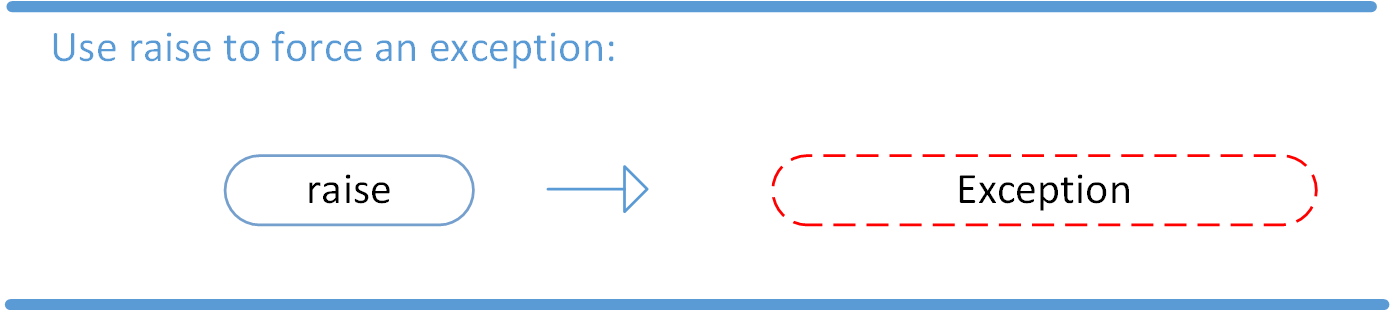
You can even complement the statement with a custom message. Assume that you’re writing a tiny toy program that expects only numbers up to 5. You can raise an error when an unwanted condition occurs:
low.py number = 10 if number > 5: raise Exception(f"The number should not exceed 5. ({number=})") print(number) In this example, you raised an Exception object and passed it an informative custom message. You built the message using an f-string and a self-documenting expression.
When you run low.py, you’ll get the following output:
Traceback (most recent call last): File "./low.py", line 3, in <module> raise Exception(f"The number should not exceed 5. ({number=})") Exception: The number should not exceed 5. (number=10) The program comes to a halt and displays the exception to your terminal or REPL, offering you helpful clues about what went wrong. Note that the final call to print() never executed, because Python raised the exception before it got to that line of code.
With the raise keyword, you can raise any exception object in Python and stop your program when an unwanted condition occurs.
Debugging During Development With assert
Before moving on to the most common way of working with exceptions in Python using the try … except block, you’ll take a quick look at an exception that’s a bit different than the others.
Read the full article at https://realpython.com/python-exceptions/ »
[ Improve Your Python With 🐍 Python Tricks 💌 – Get a short & sweet Python Trick delivered to your inbox every couple of days. >> Click here to learn more and see examples ]


