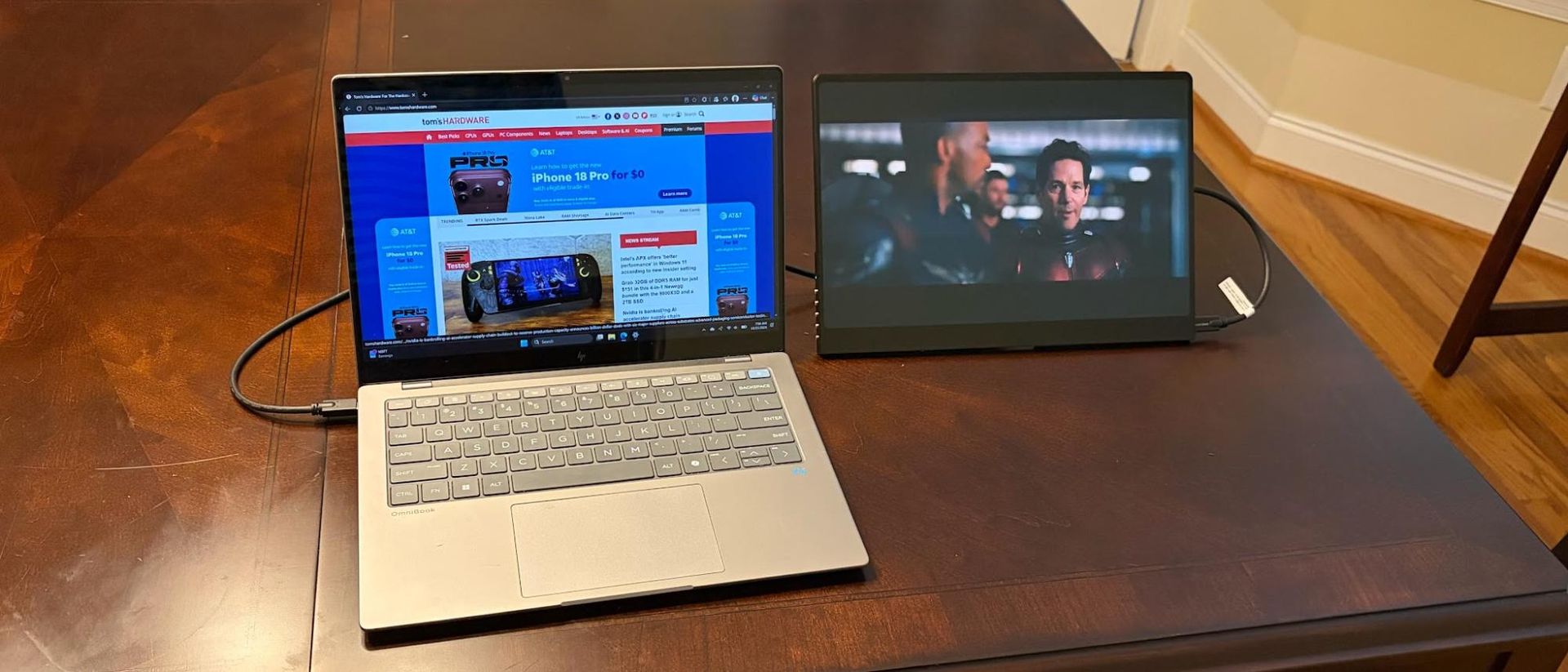
As the portable monitor category matures, a number of new players have entered the market to claim their share of the pie. One company that we haven’t had a chance to sample yet is UPERFECT. But the company is coming out of the gate swinging with the first review sample that it sent our way: the GR14BU.
As its name suggests, the GR14BU is a 14-inch portable monitor, but it doesn’t have a run-of-the-mill 60 Hz 1080p IPS panel like you’ll find on most of the best portable monitors in this segment. Instead, it features an OLED panel with a dense 2880 × 1800 (3K) resolution and a 120 Hz maximum refresh rate. On top of that, the GR14BU also supports touch input in Windows 11.
On paper, it’s a promising product with a street price of under $300. That’s roughly three times the price of a garden-variety 14-inch IPS panels, but is it worth the premium?
Design of the UPERFECT GR14BU
At first glance, the GR14BU impresses with its black aluminum frame that wraps around the 14-inch panel. The sleek design is enhanced by the glossy glass, which is typical for OLED panels.
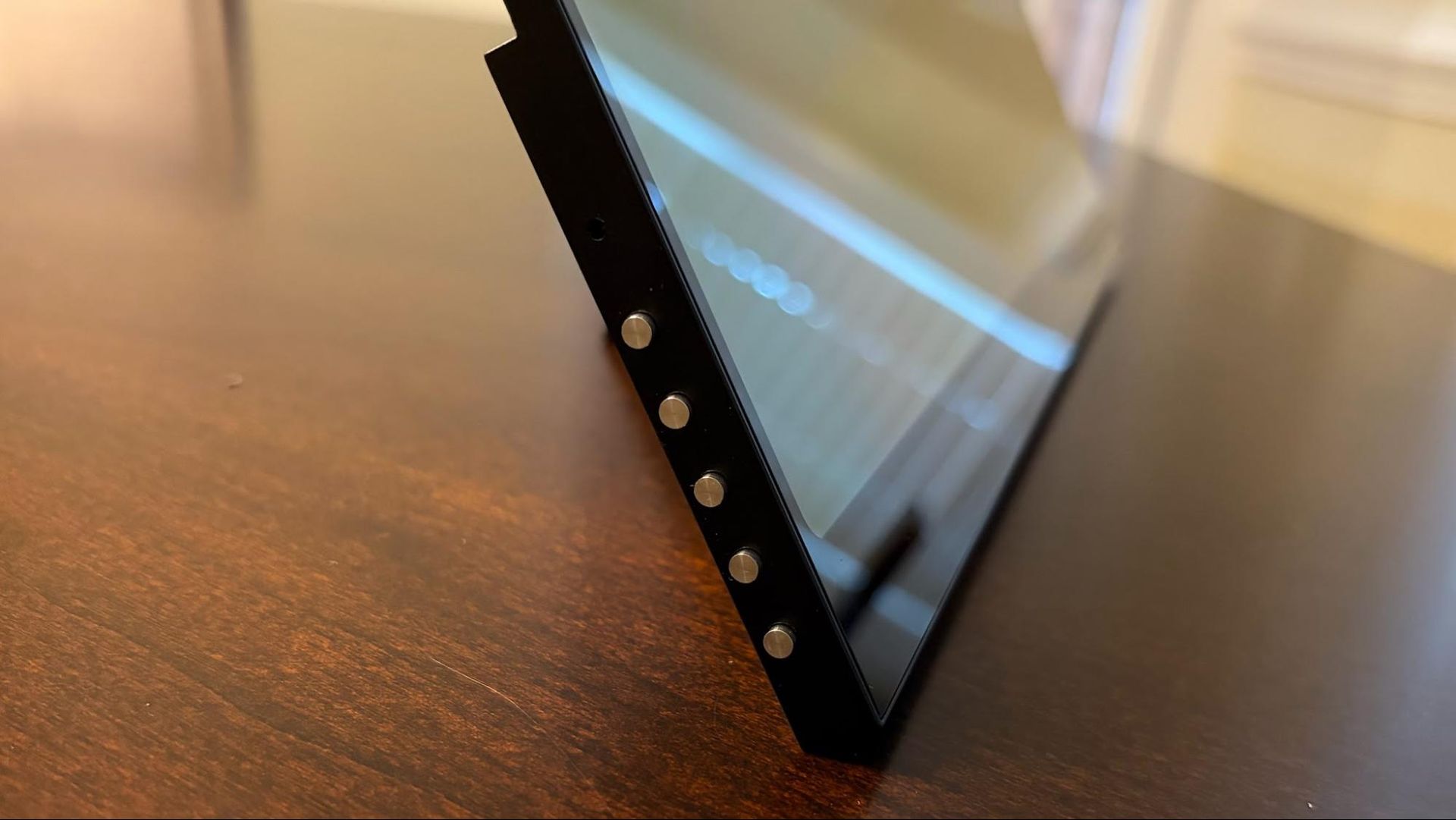
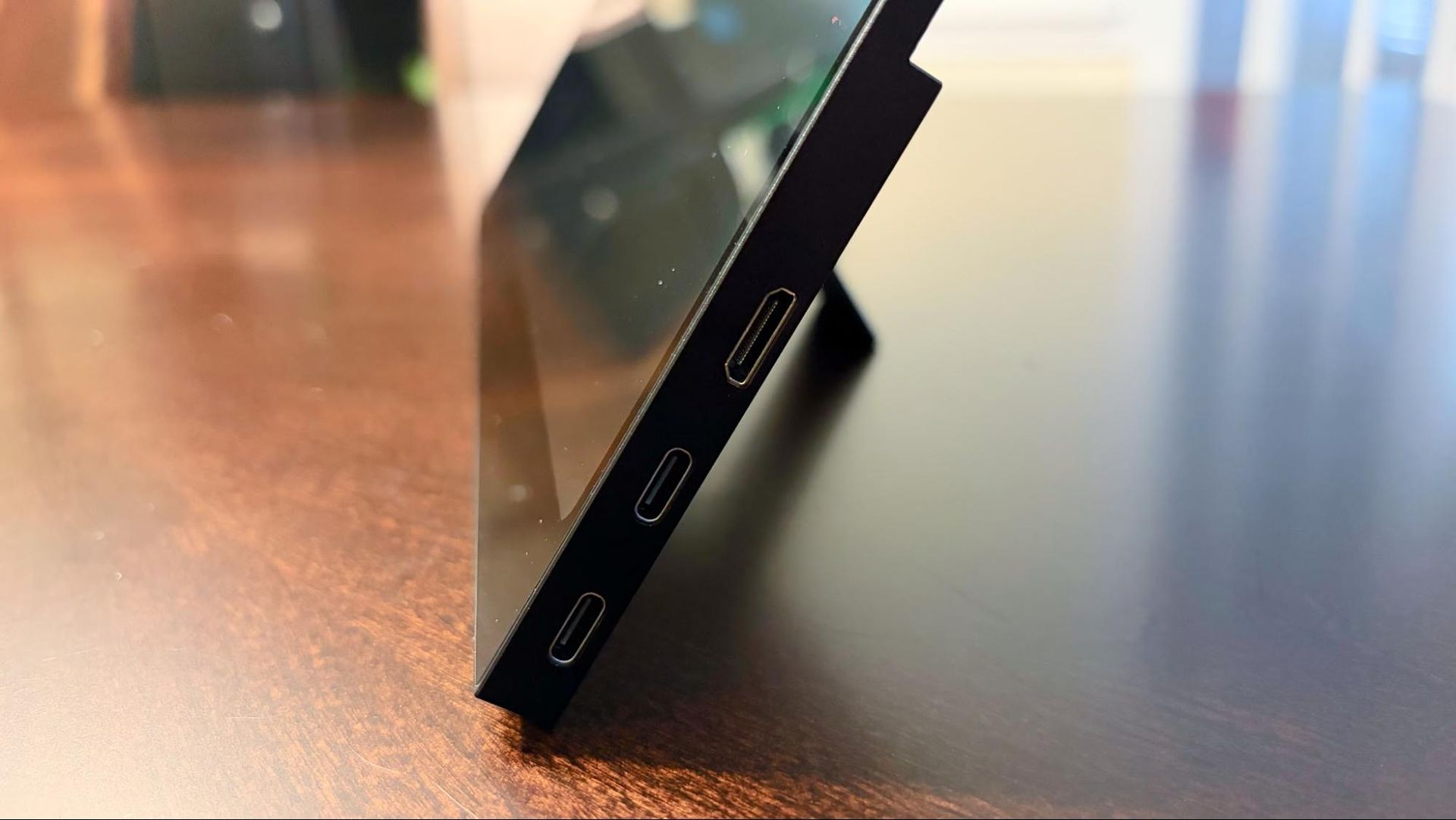
Things take a downward turn from there, however. While the GR14BU features an integrated kickstand, which is much appreciated on a portable monitor, it’s tiny and is mounted directly in the middle of the back panel of the monitor. Because of this position, the GR14BU can only be used in landscape mode. Even if you could somehow prop the monitor up in portrait mode, this would be hindered by the two USB-C ports and HDMI port on the right side of the monitor, and the five OSD buttons on the left side.
Speaking of the OSD buttons, they feel cheap and wobble around like buttons you might find on a cheap plastic stopwatch you’d find at Dollar Tree. They’re shockingly bad for a device with a $399 MSRP. The five buttons are: Power, OSD, Up, Down, and Back.
UPERFECT included a plethora of cables and adapters in the box, which should satisfy all your connectivity needs. Our review unit included two USB-C-to-USB-C cables, one micro-HDMI to HDMI cable, two 180-degree USB-C to USB-C adapters, one 180-degree micro-HDMI to HDMI adapter, and one USB-C wall adapter.
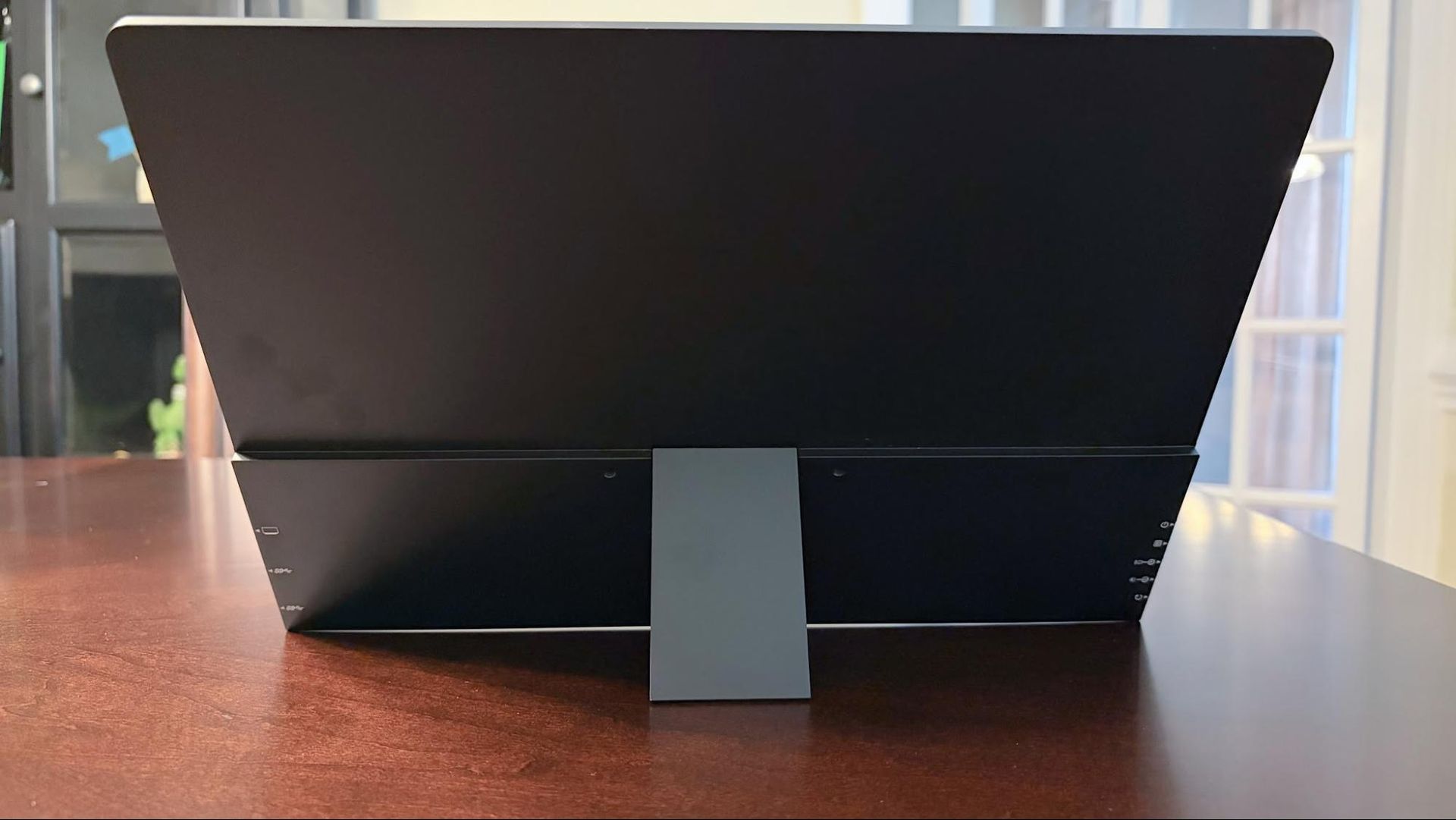
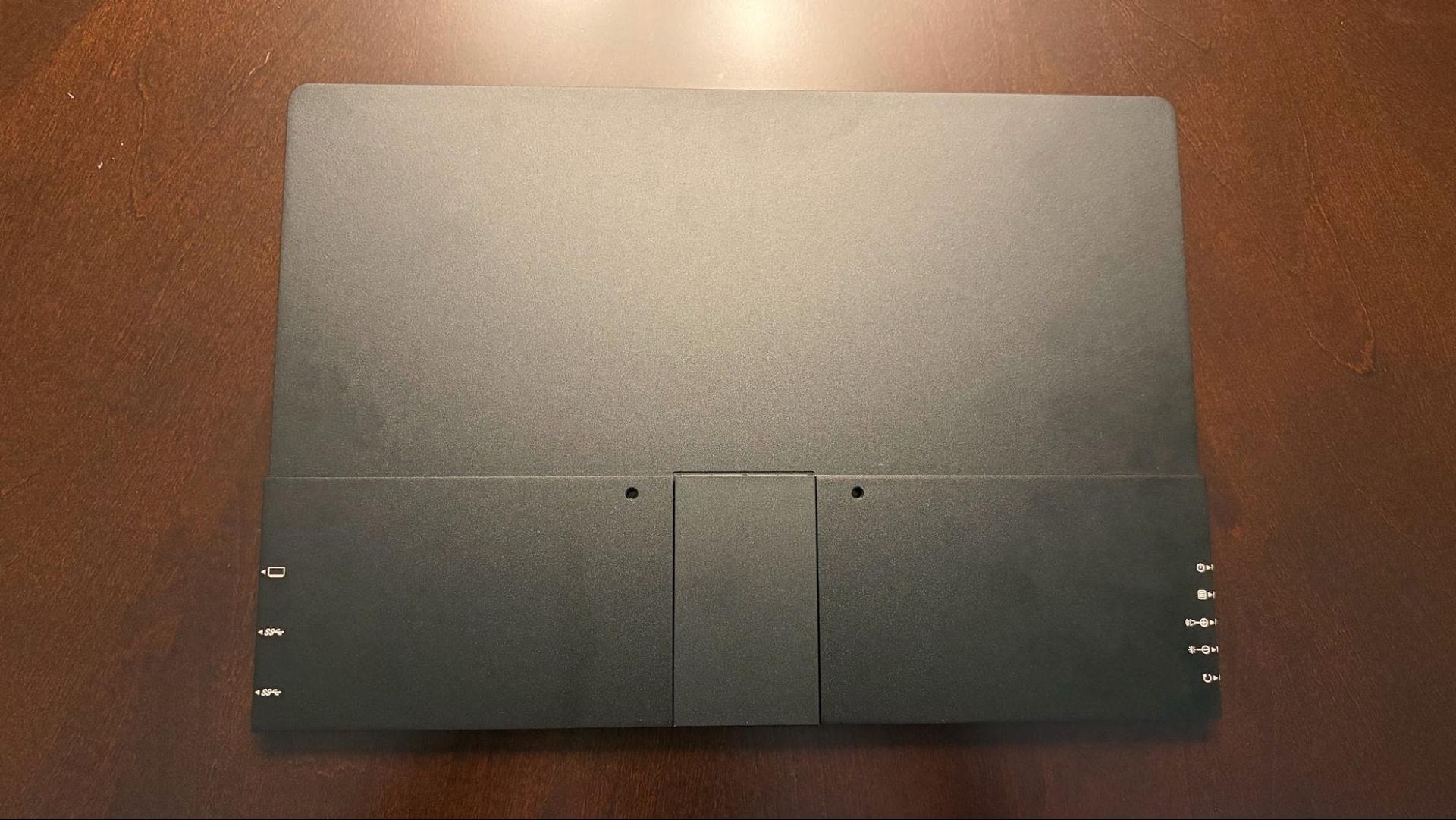
One thing to note as we discuss cables and adapters is that when connecting the GR14BU to my test system using a single USB-C to USB-C cable, the monitor was locked at 20 percent brightness and would not go any higher. However, when using the second USB-C to USB-C adapter connected to the USB-C wall adapter, the GR14BU would automatically boost brightness to its maximum level.
UPERFECT GR14BU Specifications
Panel Type / Backlight | OLED |
Screen Size / Aspect Ratio | 14 inches / 16:10 |
Max Resolution & Refresh Rate | 2880 x 1600 @ 120 Hz |
Response Time | 1 ms (GtG) |
Typical Brightness | 500 nits |
Contrast Ratio Typical | 100,000:1 |
Ports | 2x USB-C (DisplayPort Alt Mode), 1x micro-HDMI |
Speakers | 2 x 1-watt |
Touch Support | Yes |
Dimensions | 12.2 x 8.5 x 0.28 inches |
Weight | 1.3 pounds |
Warranty | 1 year |
OSD on the UPERFECT GR14BU
The OSD on the GR14BU is no-frills, offering just the basic controls that you’d expect to find on a portable monitor. Without even accessing the main OSD, pressing the Up button brings up the volume controls, with a subsequent press of the Up button raising the volume, while pressing the Down button lowers the volume. Likewise, pressing the Down button separately invokes the Brightness menu.
Pressing the dedicated OSD button brings up the full menu, where you can access picture and color settings. Pressing the Up and Down buttons navigates you through the OSD; pressing the OSD button again executes a menu item, while the Back button takes you back one level in the OSD.
Display Performance on the UPERFECT GR14BU
The GR14BU features a 14-inch display with a dense-for-its-size 2880 x 1600 resolution, in a 16:10 aspect ratio. That pixel-dense panel is backed by a 120 Hz refresh rate, which is twice that of most portable monitors, along with multi-touch support in Windows 11.
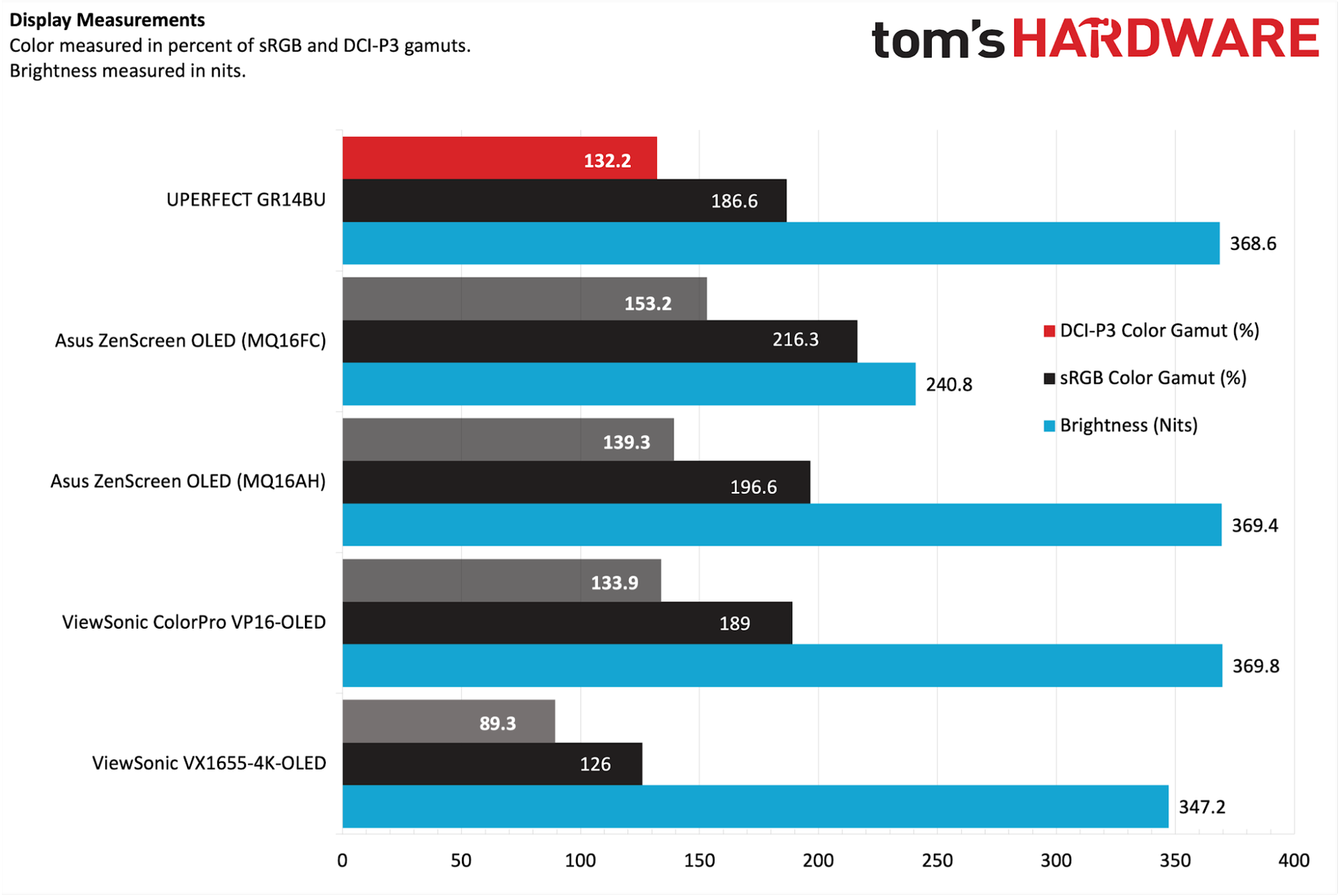
UPERFECT claims that the GR14BU has a maximum brightness of 500 nits, but we measured a maximum of 368.6 nits when plugged in at 100 percent. While well short of the manufacturer’s claim, this is clsoe to peers like the Asus ZenScreen OLED MQ16AH (369.4 nits) and ViewSonic ColorPro VP16-OLED (369.8 nits).
Our instrumented tests also showed similar color performance to the Asus and ViewSonic. The GR14BU measured 132.2 percent coverage of the DCI-P3 color space, while sRGB coverage came in at 186.6 percent.
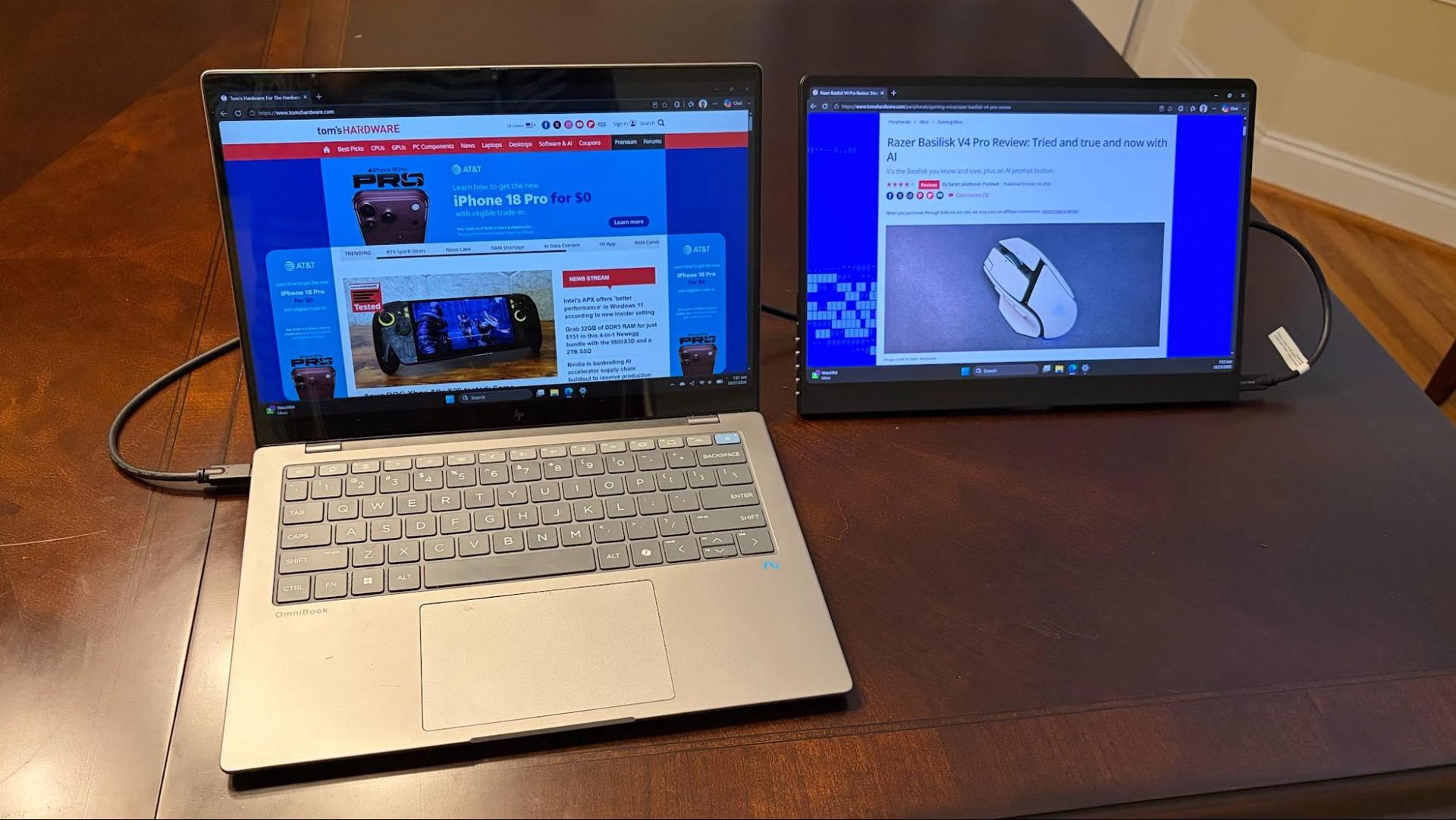
In real-world scenarios, I found the panel to be sufficiently bright in my well-lit home office, and even enough to overcome most reflections when sitting outside in overcast conditions. Colors looked vibrant, with especially punchy reds and greens while looking at nature footage on YouTube. As with all OLED monitors, black levels were impeccable, which I particularly took note of while watching the latest teaser trailers for Avengers: Doomsday.
For my usual productivity tasks, I was really disappointed that I couldn’t use the GR14BU in portrait mode, which is probably the biggest miss for me. I like having that versatility to switch between portrait and landscape modes at will.
I also tested out the 120 Hz refresh rate at native resolution for gaming. I played Battlefield 6 with the GR14BU hooked up to my desktop computer via HDMI and had no trouble until there was heavy action on the screen. It was then that frame rates momentarily dipped into the 90 fps range, and I noticed a bit of screen tearing. The GR14BU doesn’t support any kind of Adaptive-Sync technology, like FreeSync or G-Sync.
UPERFECT includes a pair of tinny speakers integrated into the GR14BU. There is quite a bit of audio distortion once you get past 75 percent, but if you keep the volume at a moderate level, the quality is passable. There’s no bass, and music sounds flat (I tried various genres, ranging from Jay-Z to Susanne Sundfør to Jai Wolf). You’re better off relying on your laptop’s built-in speakers than relying on the pair included on the GR14BU.
Bottom Line
I came in expecting a lot from the UPERFECT GR14BU, given its specs. However, there are plenty of caveats. The GR14BU has a bright and colorful 3K OLED panel, along with a 120 Hz refresh rate. It even includes an integrated kickstand and internal speakers.
However, the kickstand doesn’t allow the monitor to be used in portrait mode, and the 120 Hz maximum refresh rate doesn’t have the backing of Adaptive-Sync. There are also some quality lapses, like the woefully cheap OSD buttons.
However, much of this can be overlooked considering the price. The GR14BU can be had right now for $299 from Amazon, making it an incredible value given the specs. For comparison, we recently reviewed the Asus ZenScreen OLED (MQ16FC), which has a 16.1-inch 1200p OLED non-touch display with a 60 Hz refresh rate. The GR14BU outclasses the MQ16FC in color performance, brightness, and specs while only commanding a $30 premium and including touch. That’s an impressive feat, despite its design and build deficiencies.


