最近经常用 Node.js 写一些本地运行的脚本,需要安全的读取一些密钥密码之类的敏感信息,业界通常的做法是这样:
- 通过环境变量读取
- 通过在线的 KMS 系统读取
对于环境变量模式,一般情况需要在本地文件系统明文保存一些关键的密钥信息。本质上还是不太安全,例如你的钱包私钥明文放在本地文件系统,容易在未来的某一天爆雷,这种模式本质上不是无密码(Keyless)的。
对于 KMS 模式,需要依赖各种在线 KMS 服务,整体方案比较重,不太适合在本地电脑上轻量化使用。
本文使用 1Password 和官方提供的 CLI,在本地以无密码方式读取敏感信息。
具体方案
- 首先你需要是 1Password 用户(需要付费,家庭版比较实惠)
- 安装 CLI,我这里用 macOS 上的 brew 进行安装
brew install 1password-cli。具体可参考:https://developer.1password.com/docs/cli/get-started/ - 登录 1Password CLI:
op account add - 从 Node.js 读取指定的密钥
import { exec } from 'child_process' import util from 'util' const execPromise = util.promisify(exec) // 使用内存缓存存储密钥 const secretCache = new Map<string, string>() async function getSecretFromOnePassword(itemName: string, label: string): Promise<string> { const cacheKey = `${itemName}:${label}` // 检查缓存中是否已存在 const cachedSecret = secretCache.get(cacheKey) if (cachedSecret) { console.log('从缓存获取密钥') return cachedSecret } console.log('从 1Password 获取密钥...') try { // 使用 op cli 获取 JSON 格式的 item 数据 /* 返回值示例: { "id": "xxx", "section": { "id": "add more" }, "type": "CONCEALED", "label": "secret-key", "value": "xxx-value", "reference": "op://xxx/secret-key" } */ const command = `op item get "${itemName}" --fields label="${label}" --format json` const { stdout } = await execPromise(command) // 解析返回的 JSON 并返回值 const item = JSON.parse(stdout) if (item && item.value) { console.log('密钥获取成功') // 存入缓存 secretCache.set(cacheKey, item.value) return item.value } else { throw new Error(`label "${label}" not found in item "${itemName}"`) } } catch (error) { console.error('从 1Password 获取密钥失败:', error) throw error } } 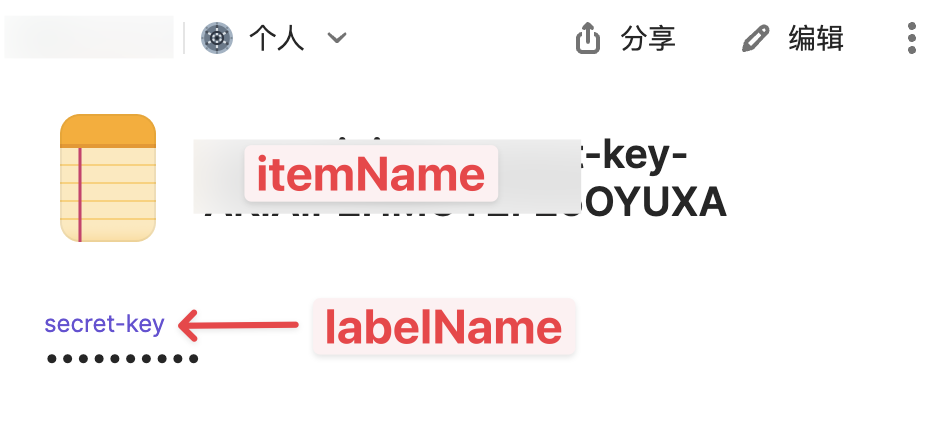
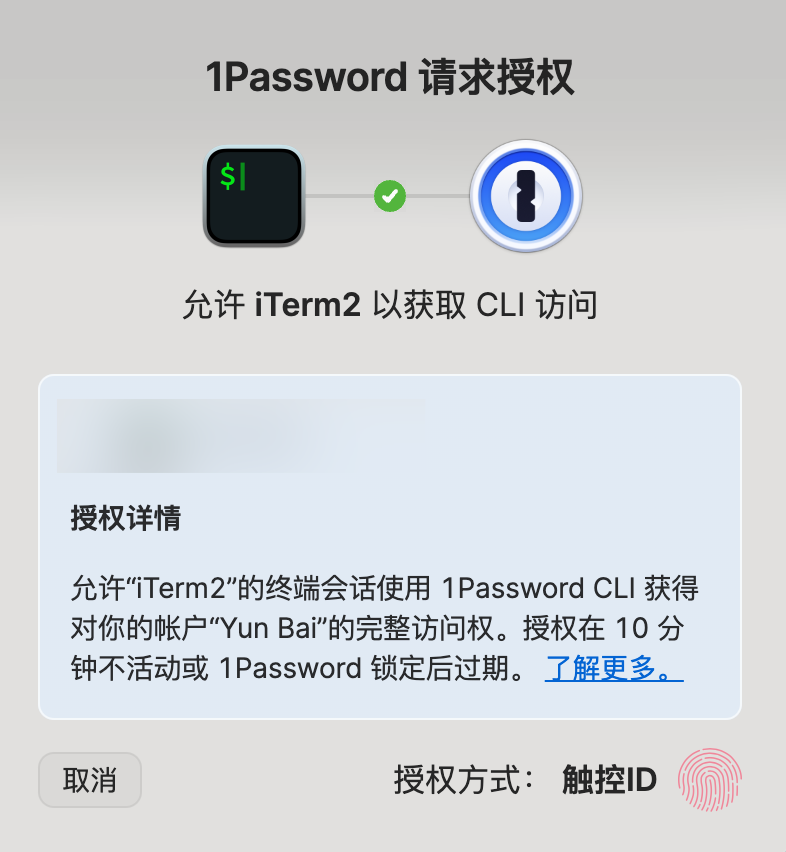
在执行脚本时,系统会弹出 1Password 确认框,待你确认后,程序就可以获取到对应的密钥。
结束语
本文用 Node.js 示范了如何在本地以 Keyless 模式读取 1Password 里的密钥,实现原理本质上是包装调用了 1Password 官方的 CLI 程序,其他语言例如 Python、Java、Golang 之类的也可以很轻松的实现本文的逻辑。
这套方案特别适合加密货币钱包私钥或者 root 账号私钥之类敏感内容,通过本文的方案可以满足可信消费和安全存储。
要获得最佳阅读体验,请访问原文 https://baiyun.me/nodejs-keyless-read-1password-secrets